 Bytesweep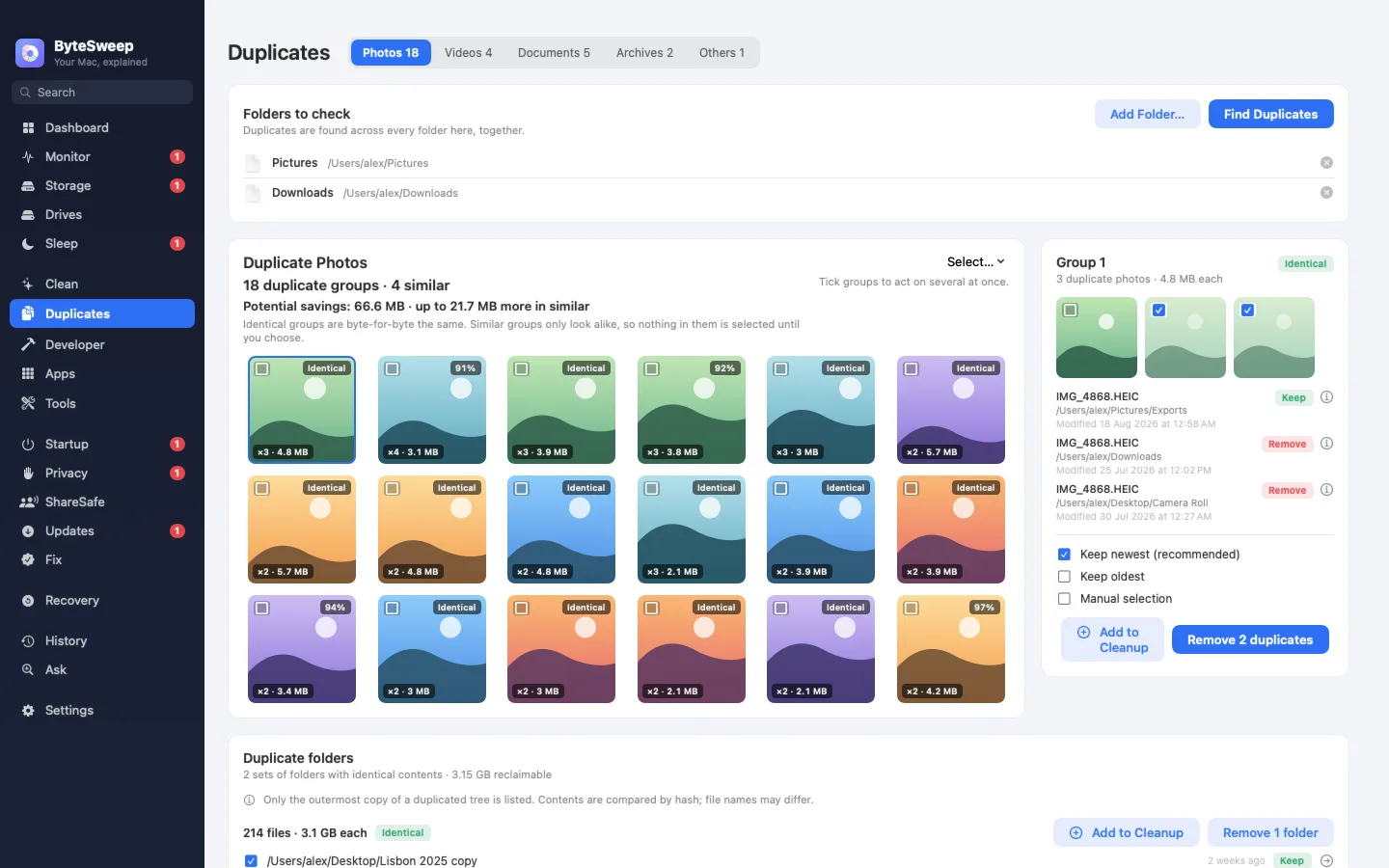
What a hash can and can’t say
A cryptographic hash reads the file and produces a fingerprint. Two files with the same fingerprint are identical; there are no false positives. The catch is the same property seen from the other side: change one byte of EXIF metadata and two pictures that look exactly alike are, correctly, not duplicates.
So hashing is the right tool for one kind of photo duplication and useless for the rest. Finding exact duplicates with the tools macOS already has covers that kind, including why grouping by size before hashing matters.
How a perceptual hash sees a picture
A perceptual hash ignores the file and looks at the image. The common version shrinks the picture to a small greyscale grid, runs a discrete cosine transform over it, keeps the low-frequency corner, and records whether each of those 64 values is above or below their median. The result is a 64-bit fingerprint of the picture’s broad structure. Two images count as similar when their fingerprints differ in only a few bit positions. That count is the Hamming distance.
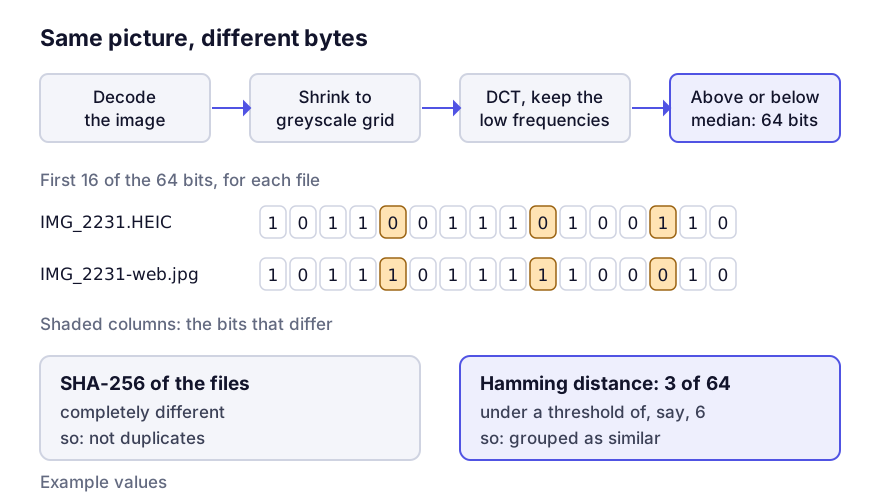
Because colour is thrown away in the first step, two copies of a frame with different colour grades will usually match. Some tools add a colour histogram to separate them; most don’t.
The threshold decides everything
Where you draw the line on Hamming distance decides what you catch and what you wrongly group. As a rough guide for a 64-bit hash:
| Distance | What it catches | What it wrongly groups |
|---|---|---|
| 0–2 | Re-saves, format conversions, metadata edits | Almost nothing |
| 3–6 | Resized exports, mild crops, light edits | Occasional near-identical scenes |
| 7–10 | Burst shots, different exposures of one frame | Sequences from a tripod, documents, screenshots |
| 11+ | Loosely related images | A great deal. Any two dark photos look alike |
Screenshots and scanned documents are the notorious false positives. Two pages of the same white document, or two screenshots of the same app, are nearly the same image as far as the fingerprint is concerned. I’d exclude them from similarity searches entirely and deal with them by date (screenshots and screen recordings covers what they cost).
That’s also why a similar-photo group has to be reviewed, and an exact-duplicate group doesn’t. Exact duplicates can be resolved by a rule, because there’s no judgement in it: keep the shortest path, bin the rest. Similar photos have to be looked at as thumbnails, side by side, with sizes and dates visible. A tool that deletes them for you will eventually delete the one frame in the burst where everyone had their eyes open.
Where photo duplicates come from
Most of what a real collection contains falls into one of these.
Format pairs: a HEIC original and the JPEG made automatically when you shared or exported it. Identical to the eye, unrelated as bytes, and very common in any collection fed by an iPhone. Why HEIC and JPEG pairs multiply deals with them.
Renditions: thumbnails, previews and edited versions an application generates next to the original. These usually live inside a managed library, and must not be touched from outside it. Deleting a rendition from a Photos or Lightroom library leaves the database describing files that aren’t there. What is inside a Photos library explains the structure.
Human copies: the same folder of holiday photos in ~/Pictures, in ~/Desktop/to sort, and on an old external drive. This is usually where the gigabytes are, and it’s exact duplication, so plain hashing finds it.
Work outside managed libraries first. Loose copies on the Desktop, in Downloads and on old external drives are where the recoverable space is, and none of them carry the risk of reaching into a library’s database.
Picking the keeper
Once you’ve agreed two files are the same picture, the choice is mostly mechanical:
- Prefer the larger file at the same dimensions. It’s the less compressed one.
- Prefer the one with intact EXIF. An export stripped of capture date and location is worse even if it looks identical.
- Prefer the original format over the conversion. A HEIC original holds more dynamic range than a JPEG made from it.
- Prefer the copy inside your library over the loose one, so the library stays the source of truth.
The second rule is the one people get wrong. A 4 MB JPEG that has lost its metadata is not a better keeper than a 3 MB HEIC that still knows when and where it was taken.
Questions
Will it group photos of the same subject taken minutes apart?
At a loose threshold, yes. For a burst that’s what you want; for a series you shot deliberately it’s wrong. That’s why good tools let you set the threshold instead of fixing it.
Can I trust automatic selection inside a similar group?
For choosing which copy to keep in a group you’ve already looked at, yes. For deciding that the group should be resolved at all, no.