 Bytesweep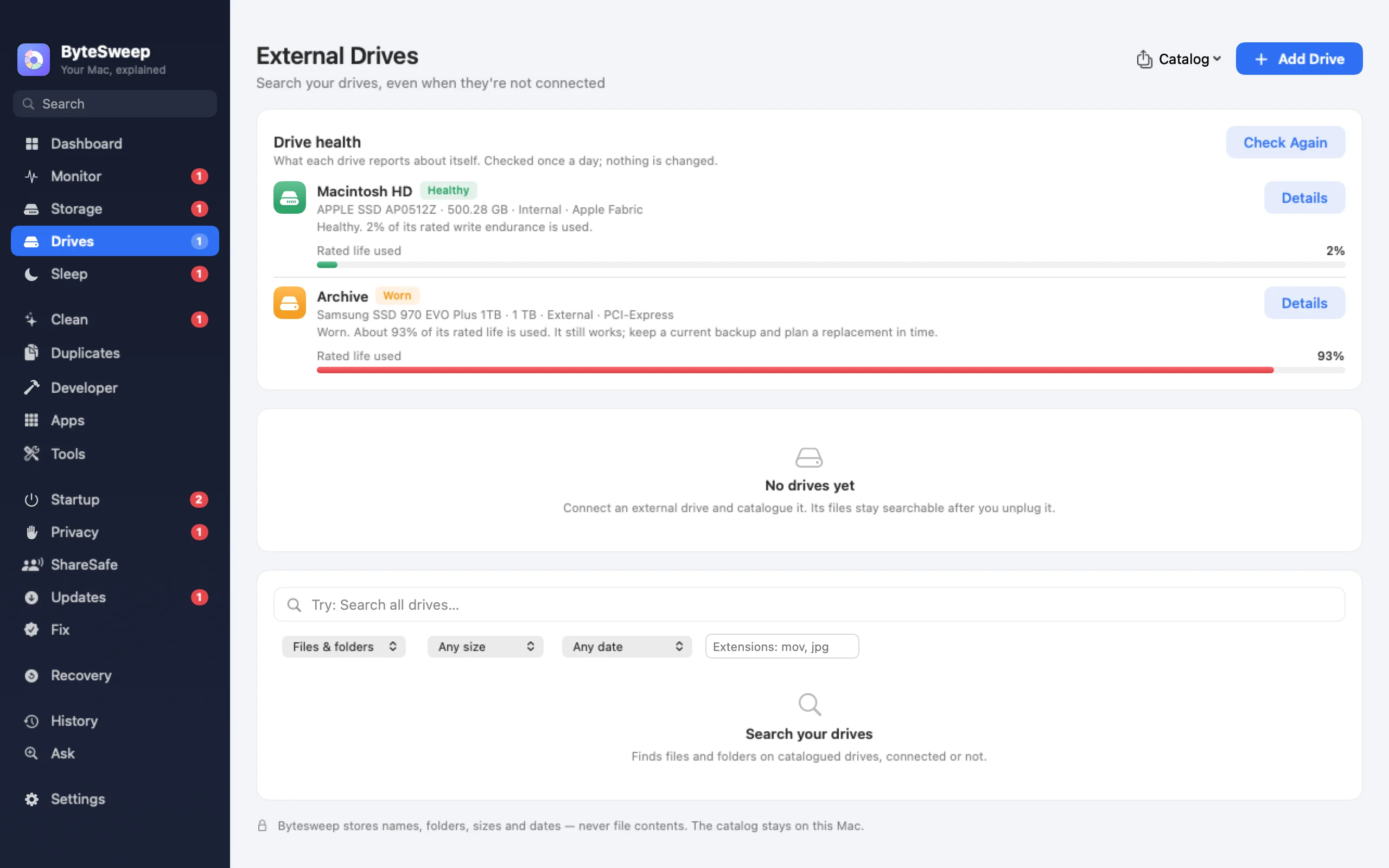
A searchable catalog, offline
Bytesweep indexes the external drives you connect into a fast local search, by name, type, size and date. The catalog stays on your computer and works with the drive unplugged. On a Mac it updates incrementally when a drive comes back, and can be exported and imported as JSON or CSV.
Drive health (new in 2.1)
For SSDs Bytesweep reads the drive's own health log: wear, spare capacity, data written, power-on hours, unsafe shutdowns, errors and temperature. Hard drives report their SMART status. It checks every day and whenever a drive connects, and warns you about a failing drive, wear past 90% or a critical warning.
Honest about enclosures
Many USB enclosures do not pass health data through. When a drive does not report, Bytesweep says "not reporting" instead of calling it healthy.
On Mac and on Windows
| Mac | Windows | |
|---|---|---|
| Offline searchable catalog | Yes | Yes |
| Export and import | JSON, CSV | — |
| SSD wear and errors | Yes | Yes; some details need administrator rights |
| Warnings before a drive fails | Yes | Yes |
Bytesweep vs NeoFinder and DiskCatalogMaker
| Bytesweep | NeoFinder | DiskCatalogMaker | |
|---|---|---|---|
| Price | $29.99 once, with every other tool | Paid, one-time | $38.99 once |
| Platforms | Mac and Windows | Mac | Mac |
| Offline search | Yes | Yes | Yes |
| Photo metadata and previews | No | Yes | Yes |
| Drive health | Yes | No | No |
Prices as each maker lists them on 1 October 2026. For a large media archive with previews and metadata, NeoFinder and DiskCatalogMaker go further.
Questions
Does the drive need to be connected to search it?
No. That is the point: the catalog is stored on your computer.
Can it repair a failing drive?
No. Health checks are read-only. If a drive is failing, copy your files off it first; Bytesweep's recovery tool can help if something is already missing.
Does it work with network drives?
It catalogs drives that mount as disks. Health data comes only from drives connected directly.