 Bytesweep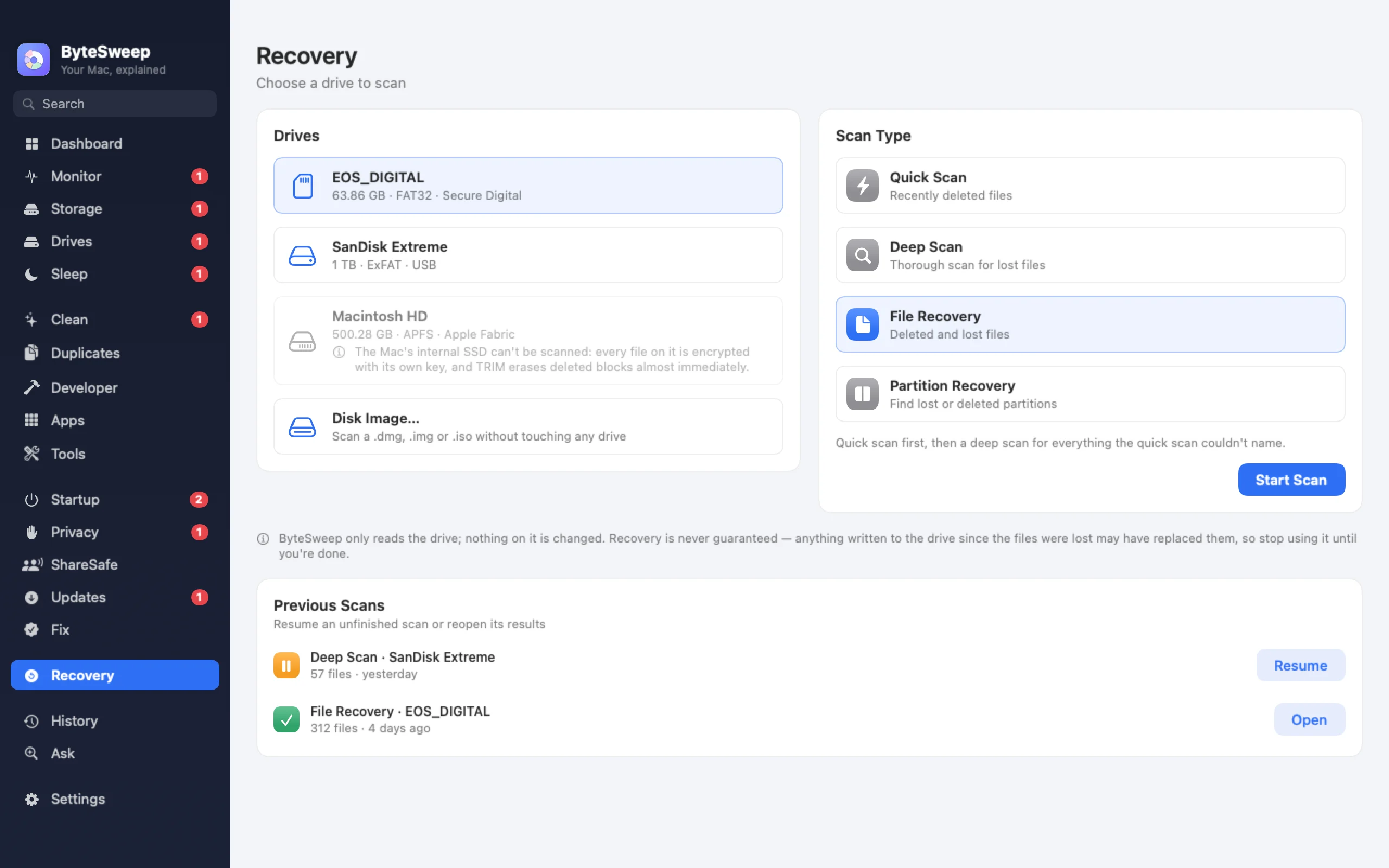
Two kinds of scan
Quick Scan reads the deleted entries still sitting in a FAT32 or exFAT drive's file table, with their names and folders. On Windows it also reads NTFS. It takes seconds.
Deep Scan reads the whole drive and recognises files by their contents, which finds files even after a format: JPEG, PNG, HEIC, TIFF and camera RAW (CR2, NEF, ARW, DNG, ORF, RW2), MP4, MOV, AVI, MP3, M4A and WAV, PDF, Word, Excel and PowerPoint files, and ZIP archives. Photos that are only partly intact are marked as partial.
Safe for the drive you are rescuing
Bytesweep only reads the damaged drive. It refuses to save recovered files back onto it, because that would overwrite the very files you want. Lost partitions are found and reported, never rewritten.
Recycle Bin and formatted drives on Windows
On Windows, recovery also has tabs for formatted drives, a full system scan with lost partitions, and the Recycle Bin, including files emptied from it.
What it cannot do
No tool can promise every file. Files that were split into pieces across the drive cannot be put back together by content alone, and on a Mac the internal SSD is not offered: its encryption and TRIM mean deleted data there is gone. Check Time Machine or your cloud for those.
On Mac and on Windows
| Mac | Windows | |
|---|---|---|
| USB sticks, SD cards, external drives | Yes | Yes |
| Disk images | Yes | — |
| FAT32 and exFAT | Yes | Yes |
| NTFS | — | Yes |
| Recycle Bin | — | Yes |
| Deep scan by file contents | Yes | Yes |
| Internal drive | No (encrypted SSD) | Yes, with administrator rights |
Bytesweep vs Disk Drill, EaseUS and PhotoRec
| Bytesweep | Disk Drill PRO | EaseUS Pro | PhotoRec | |
|---|---|---|---|---|
| Price | $29.99 once, with every other tool | Paid, yearly or lifetime | from $99.95 a year | Free, open source |
| Platforms | Mac and Windows | Mac and Windows | Windows and Mac | Mac, Windows, Linux |
| Free scan before you pay | Yes | Yes | Yes | — |
| Never writes to the source drive | Yes | Yes | Yes | Yes |
| Also cleans, monitors, uninstalls | Yes | Partly | No | No |
Prices as each maker lists them on 1 October 2026. Dedicated recovery suites cover more file systems and file types.
Questions
Can I see what is recoverable before I buy?
Yes. Scanning is free during the trial and shows every file it finds. Saving them needs a licence.
Can it recover files from my Mac's internal drive?
No, and no honest tool can promise that. Apple's SSDs encrypt each file and erase freed blocks, so deleted files on the internal drive are usually gone. Use Time Machine or iCloud.
What should I do right after deleting something?
Stop writing to that drive. Every new file can overwrite what you want back. Then scan it.