 Bytesweep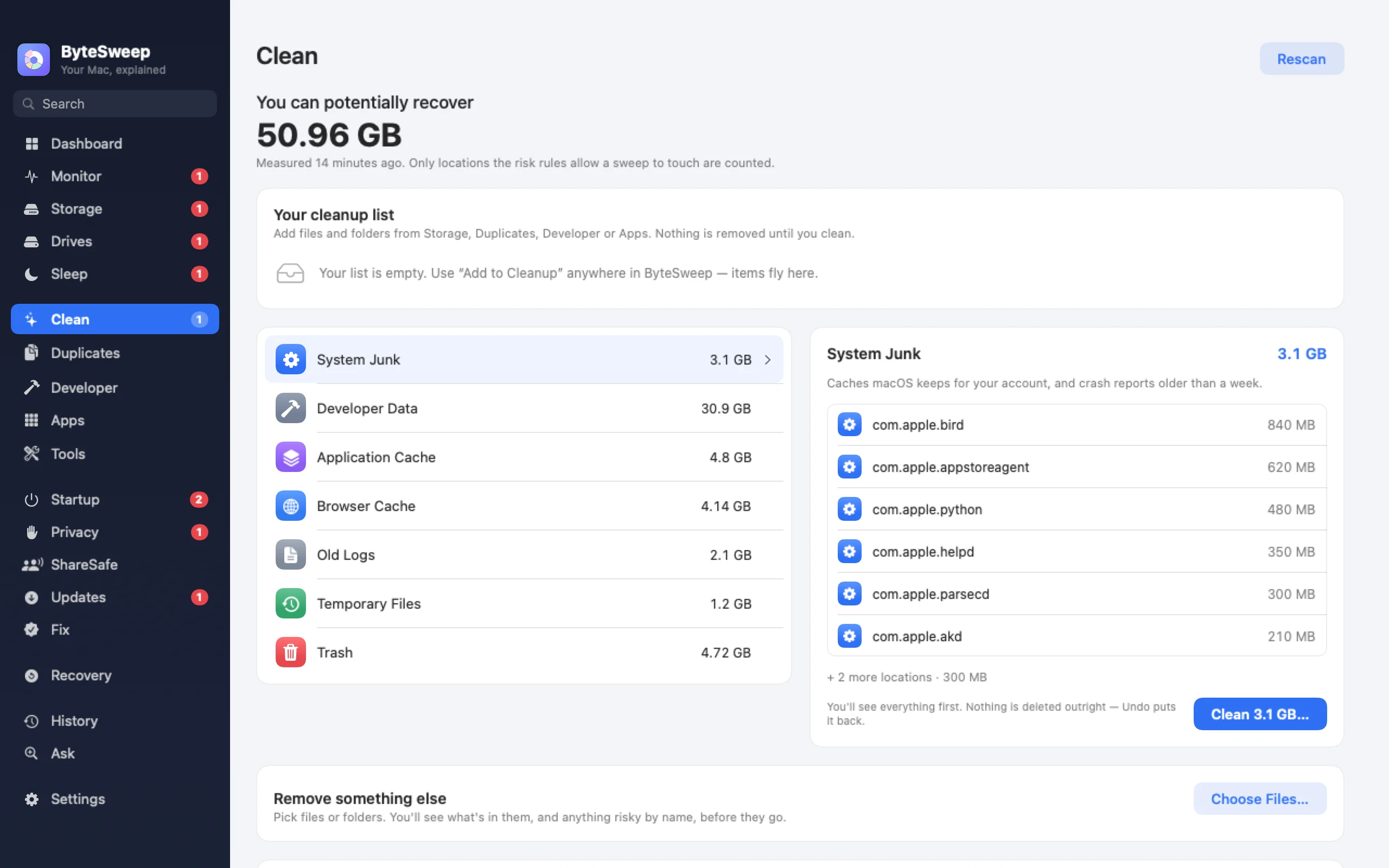
What it finds
On a Mac: system junk, application and browser caches, old logs, temporary files, developer data and the Trash. On Windows: Windows Update leftovers, Delivery Optimization files, error reports and crash dumps, thumbnail and shader caches, installer leftovers, the component store, Windows.old, and the caches of browsers and game launchers.
Rated before you press anything
Each item is marked safe, review first or keep. Only the safe ones are ticked for you. Windows itself, System32, boot files and your personal folders are never cleaned by a rule, and Bytesweep shows the evidence for every rating.
A 7-day undo
What Bytesweep sweeps goes into a restore point on the same disk first, and one click brings it back for 7 days. On a Mac that includes the Trash.
A few jobs cannot be undone because they hand over to another tool: Time Machine snapshots, Homebrew and Docker cleanup and emptying the Trash on a Mac; the Recycle Bin, the component store and some privacy items on Windows. Bytesweep marks those before you run them.
Downloaded cloud files (new in 2.1)
iCloud Drive, OneDrive, Dropbox, Google Drive and Box keep downloaded copies of files that are safe in the cloud. Bytesweep shows how much space they take and which ones you have not opened in a long time, and removes the local copy only of files that are fully uploaded. "Download again" puts them back. Cloud-only files are never downloaded.
A scheduled scan, if you want one (new in 2.1)
Weekly, every two weeks or monthly, Bytesweep can check how much it could free and tell you once it passes a threshold you pick. Automatic cleaning is a second switch, off by default: it takes only low-risk items that rebuild themselves, never the Trash, always into a restore point, and tells you afterwards with an Undo button.
On Mac and on Windows
| Mac | Windows | |
|---|---|---|
| Caches, logs and temp files | Yes | Yes |
| Windows Update leftovers, Windows.old | — | Yes |
| Rated safe, review first or keep | Yes | Yes |
| 7-day undo | Every sweep, including the Trash | Every sweep except a few marked items |
| Downloaded cloud copies | iCloud and cloud folders | OneDrive, iCloud, Dropbox, Google Drive, Box |
| Scheduled scan | Yes | Yes |
Bytesweep vs CleanMyMac, CCleaner and BleachBit
| Bytesweep | CleanMyMac | CCleaner | BleachBit | |
|---|---|---|---|---|
| Price | $29.99 once | Subscription | Free tier, paid yearly | Free, open source |
| Platforms | Mac and Windows | Mac | Windows and Mac | Windows and Linux |
| Undo after cleaning | 7 days | No | No | No |
| Malware scanning | No | Yes | No | No |
As each maker describes their app on 1 October 2026.
Questions
Is it safe to clear caches?
Caches rebuild themselves, so clearing them is safe, though an app may be slower the first time it starts. Bytesweep rates each cache and keeps it for 7 days anyway.
Does it need Full Disk Access on a Mac?
Yes. Without it macOS hides most caches and logs from every app. Bytesweep asks, explains why, and still works with what it can see if you say no.
Will it clean automatically behind my back?
Only if you turn on automatic cleaning, which is off by default and limited to low-risk items, with a notification and Undo every time.