 Bytesweep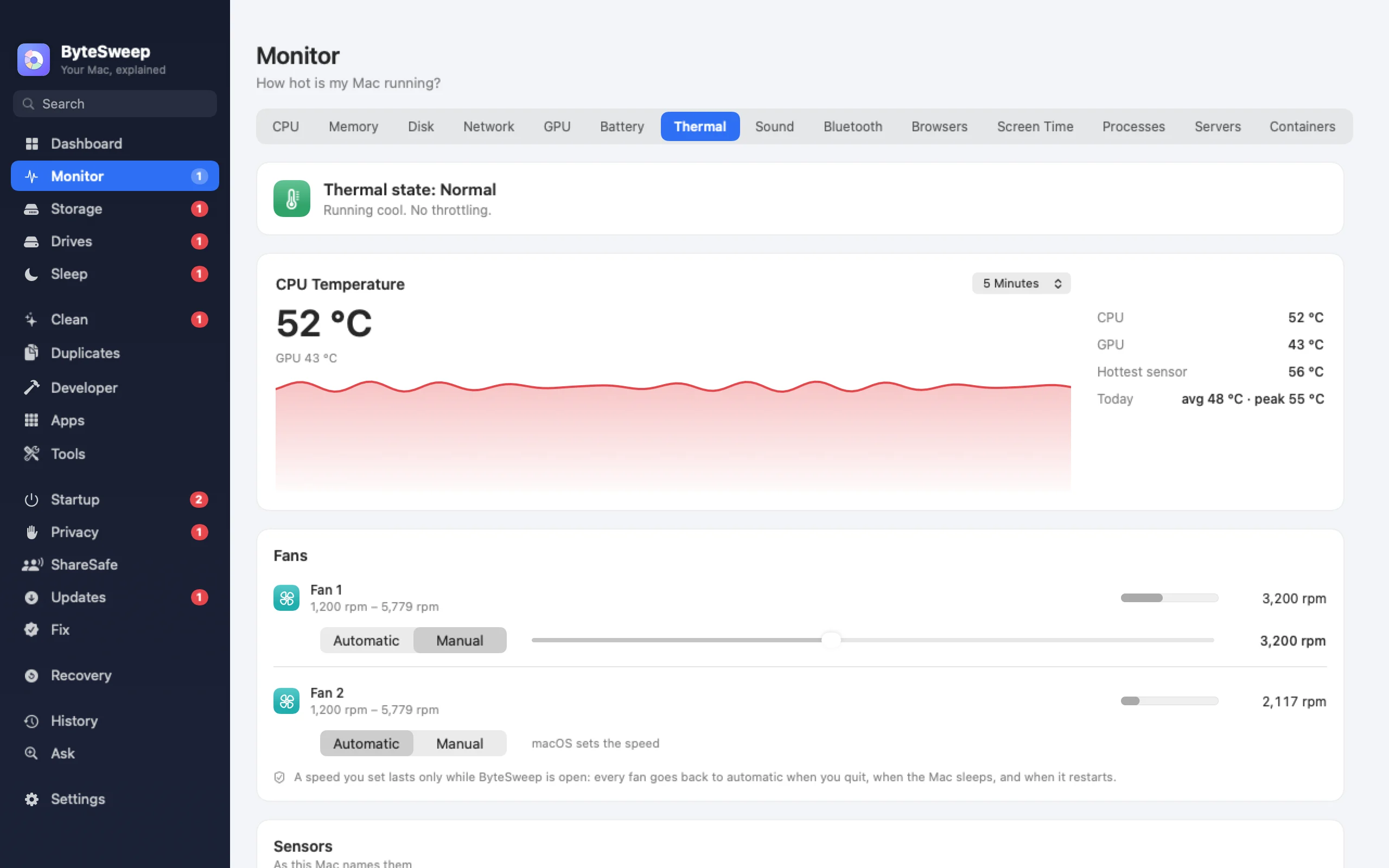
Every sensor, read properly
On Apple silicon Bytesweep reads the temperature sensors macOS itself uses; on Intel Macs it reads the SMC. Fan speeds come from the SMC on both. Readings that make no physical sense are thrown away rather than drawn as a spike, and a sensor that fails is left out instead of shown as zero.
Show temperatures in Celsius or Fahrenheit, in the menu bar, under the notch or on the Thermal page with its history.
Which app is heating it up
When the fans are up, Bytesweep lists the busiest apps at that moment, in the menu bar and on the Thermal page. It says "busiest" rather than "cause", because a busy app is a strong clue, not a proof. Fans you have pinned by hand are left out of that view.
A fixed speed, and always back to automatic
Each fan can run on Automatic or at a speed you choose. The change goes through a small helper that macOS asks you to approve once, because fan speeds can only be written with administrator rights.
The helper puts every fan back on automatic when Bytesweep quits, crashes, when the Mac sleeps or restarts, and when the helper is stopped or removed. A fan is never left pinned. Some Macs refuse fan writes; Bytesweep tells you so instead of pretending.
- Automatic or a fixed speed per fan
- Back to automatic on quit, crash, sleep and restart
- One administrator approval, once
On Mac and on Windows
| Mac | Windows | |
|---|---|---|
| Temperatures | Every sensor, Apple silicon and Intel | ACPI thermal zones, where the PC reports them |
| Fan speeds | Yes | Where the PC reports them |
| Fan control | Automatic or fixed speed | No |
| Busiest apps while the fans are up | Yes | No |
Bytesweep vs Macs Fan Control and TG Pro
| Bytesweep | Macs Fan Control | TG Pro | |
|---|---|---|---|
| Price | $29.99 once, with every other tool | Free; paid Pro | $10 once (sale price) |
| Fixed fan speed | Yes | Yes | Yes |
| Fan speed by temperature | No | Yes | Yes |
| Names the apps heating the Mac | Yes | No | No |
| Also monitors, cleans, uninstalls | Yes | No | No |
Prices as each maker lists them on 1 October 2026. If you want fans that follow temperature, TG Pro and Macs Fan Control do that; Bytesweep keeps fan control to a fixed speed.
Questions
Is it safe to control the fans on a Mac?
Running fans faster is safe; the risk is a fan left slow. Bytesweep only lets you set a speed the fan supports and returns every fan to automatic whenever it stops, including on a crash.
Does it work on Apple silicon?
Yes, on Apple silicon and Intel Macs with macOS 14 or later. Macs without fans, like the MacBook Air, show temperatures only.
Can it control fans on Windows?
No. Windows has no general way for an app to set fan speed; Bytesweep for Windows shows the temperatures and fan speeds the PC reports.