 Bytesweep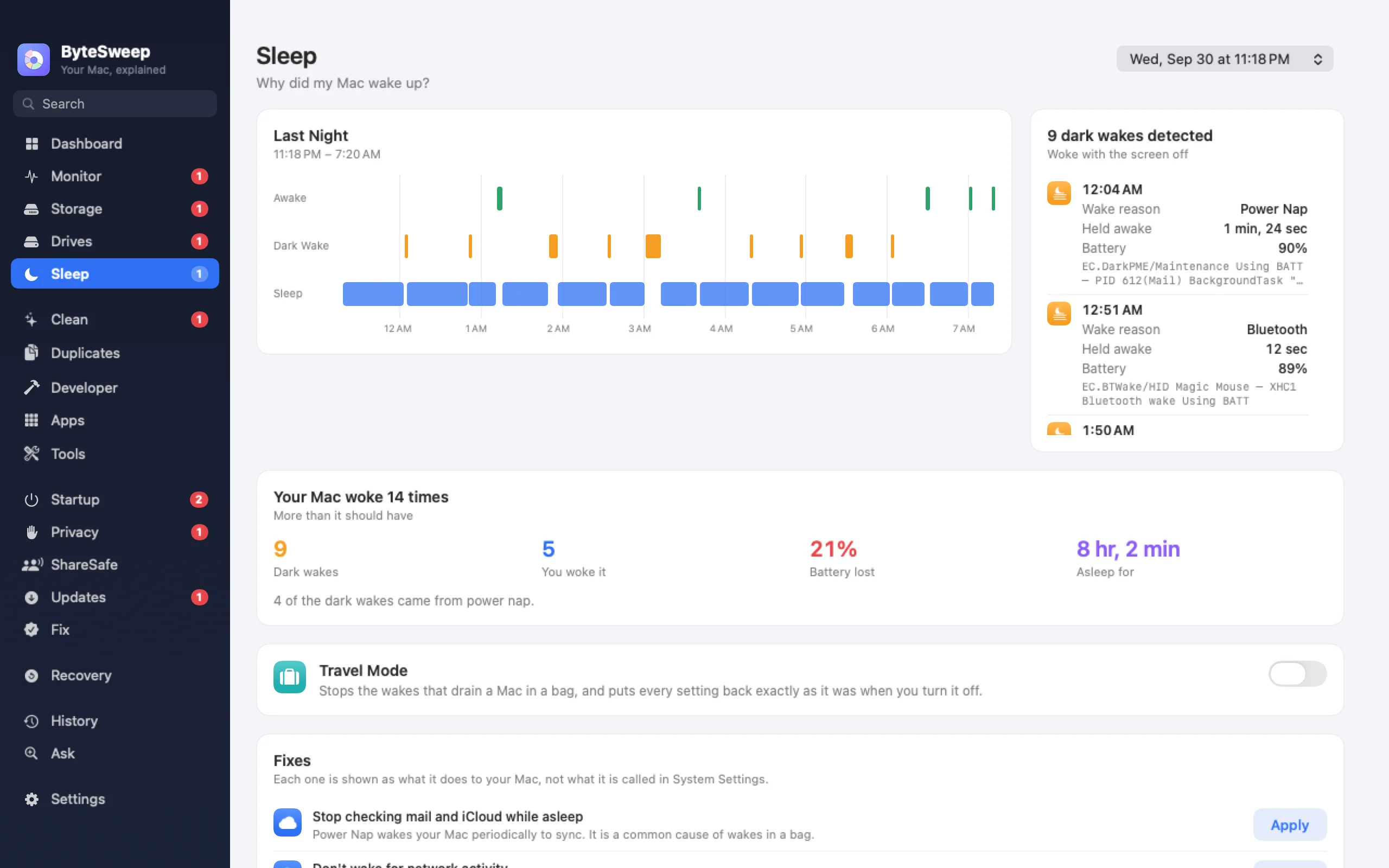
Last night, wake by wake
Bytesweep turns the power log into a nightly report: how many times it woke, how many were dark wakes with the lid shut, the cause of each one, and the battery used while it was meant to be asleep. It keeps the history after the system rolls its own log over, so you can compare nights.
Four fixes, one at a time or all at once
Turn off Power Nap, TCP keep-alive or Wake for network access, or go into deeper standby sooner on battery. Each one says what you give up; turning off keep-alive, for example, can stop Find My from reaching a sleeping laptop.
- Power Nap off
- TCP keep-alive off
- Wake for network access off
- Deeper standby on battery
Travel Mode
One switch applies all four for a trip, and turning it off restores exactly the settings you had before, not a set of defaults. The changes go through Bytesweep's helper, which you approve once.
What is keeping the Mac awake
The Battery page lists every app holding off sleep right now and the reason it gave, like a video call, a download or a backup. It shows them; it does not override them.
On Mac and on Windows
| Mac | Windows | |
|---|---|---|
| Wake report with causes | Yes | No |
| Dark wakes and battery lost asleep | Yes | No |
| Travel Mode | Yes | No |
| Apps keeping the computer awake | Yes | No |
Questions
What is a dark wake?
A wake with the lid closed and the screen off, for things like Power Nap, network maintenance and Bluetooth. They are normal in small numbers; dozens a night drain the battery.
Will Travel Mode change my settings for good?
No. It records your settings before it changes anything and puts them back exactly when you turn it off.
Can Bytesweep stop sleep on purpose?
No, it is not a keep-awake tool. It shows what is holding off sleep and helps the computer sleep properly.
Is this on Windows?
No. Sleep and wake are Mac only.