 Bytesweep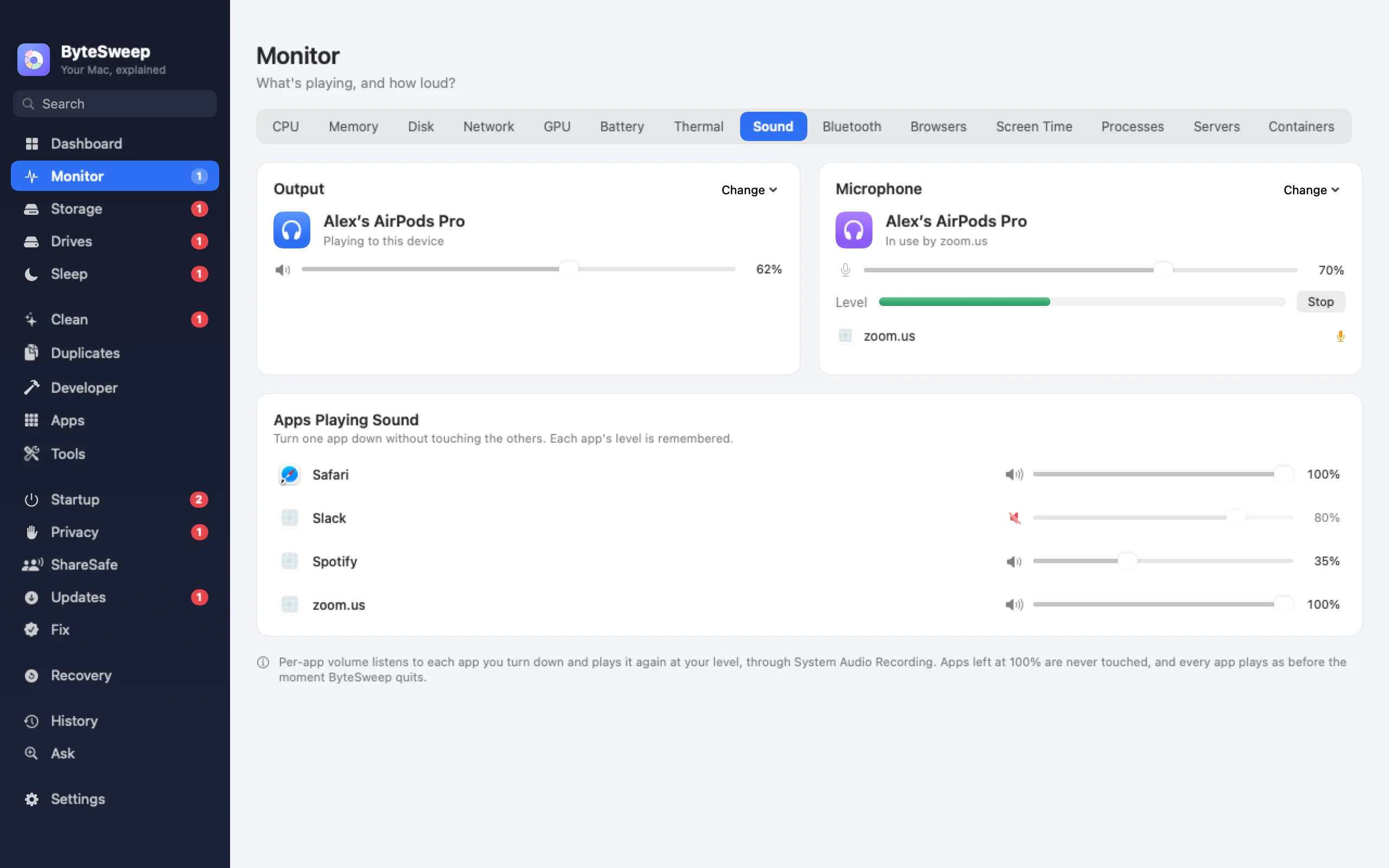
Each app at its own level
Every app that is playing sound gets its own slider and mute. Turn a video call up and the notification pings down, and the level sticks: the next time that app plays, it starts where you left it. On a Mac this uses Core Audio's own process taps, available from macOS 14.2.
Devices and the microphone
Switch output and input devices and set their volume from the Sound page or the notch. Bytesweep shows which apps are using the microphone right now, so a call app that kept listening after the call is easy to spot.
Bluetooth and battery levels
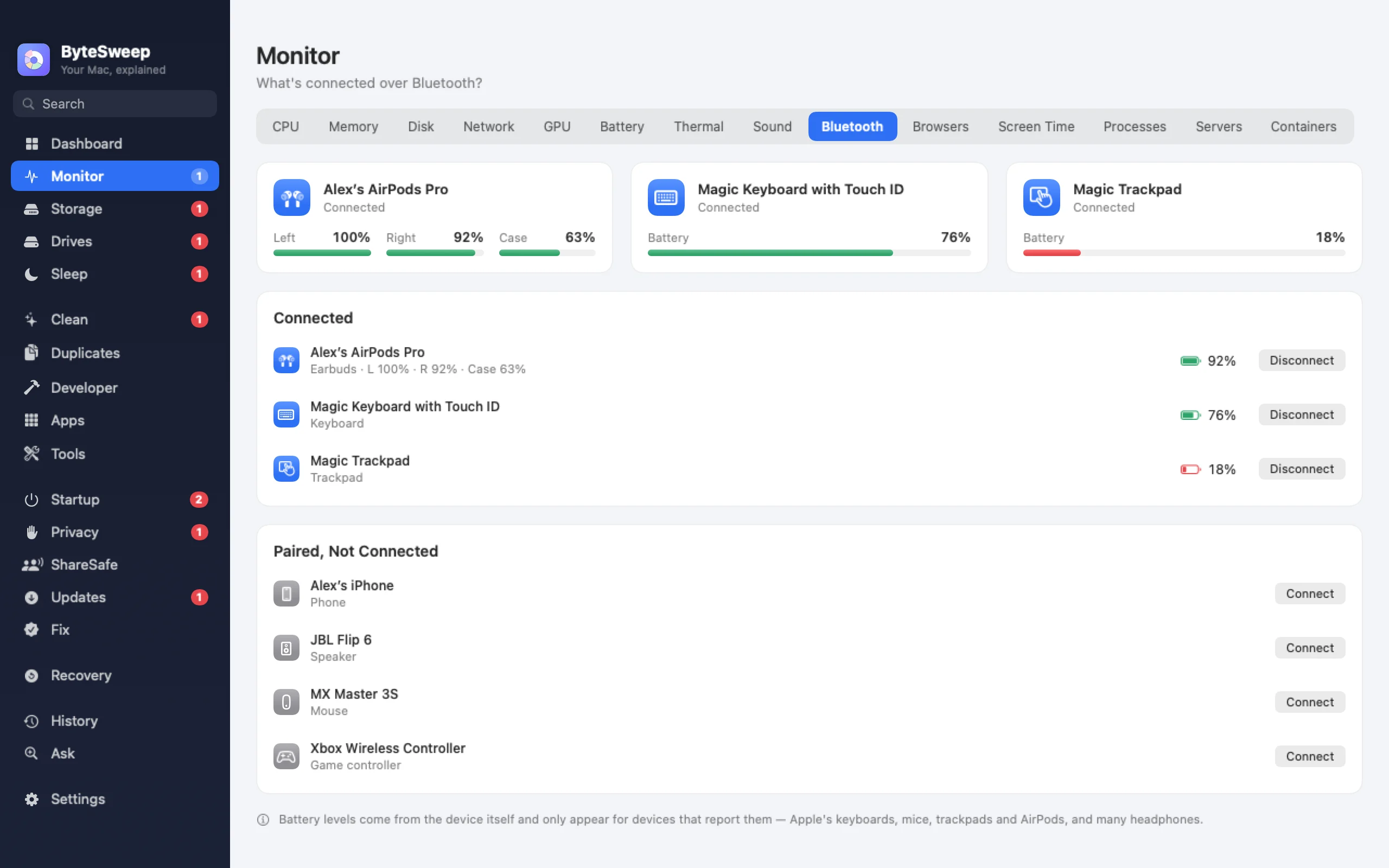
Connected and paired Bluetooth devices are listed with their battery levels, including AirPods and their case. On a Mac you can connect and disconnect them from the same list.
On Mac and on Windows
| Mac | Windows | |
|---|---|---|
| Per-app volume, remembered | Yes, macOS 14.2 or later | Yes |
| Switch audio devices | Yes | Yes |
| Apps using the microphone | Yes | Yes |
| Bluetooth battery levels | Yes, including AirPods | Where Windows exposes them |
| Connect and disconnect Bluetooth | Yes | No |
Bytesweep vs SoundSource, Background Music and EarTrumpet
| Bytesweep | SoundSource 6 | Background Music | EarTrumpet | |
|---|---|---|---|---|
| Price | $29.99 once, with every other tool | $49 once | Free, open source | Free, open source |
| Platforms | Mac and Windows | Mac | Mac | Windows |
| Per-app volume | Yes | Yes | Yes | Yes |
| Per-app effects and EQ | No | Yes | No | No |
| Bluetooth battery levels | Yes | No | No | No |
Prices as each maker lists them on 1 October 2026. For per-app EQ and audio effects, SoundSource is the specialist.
Questions
Which macOS version do I need for per-app volume?
macOS 14.2 or later. On macOS 14.0 and 14.1, Bytesweep shows and controls devices but not individual apps.
Does it install an audio driver?
No. On a Mac it uses Core Audio process taps, which macOS provides, so nothing is added to your audio chain.
Will my levels survive a restart?
Yes. Each app's level and mute are remembered and applied the next time that app plays sound.