 Bytesweep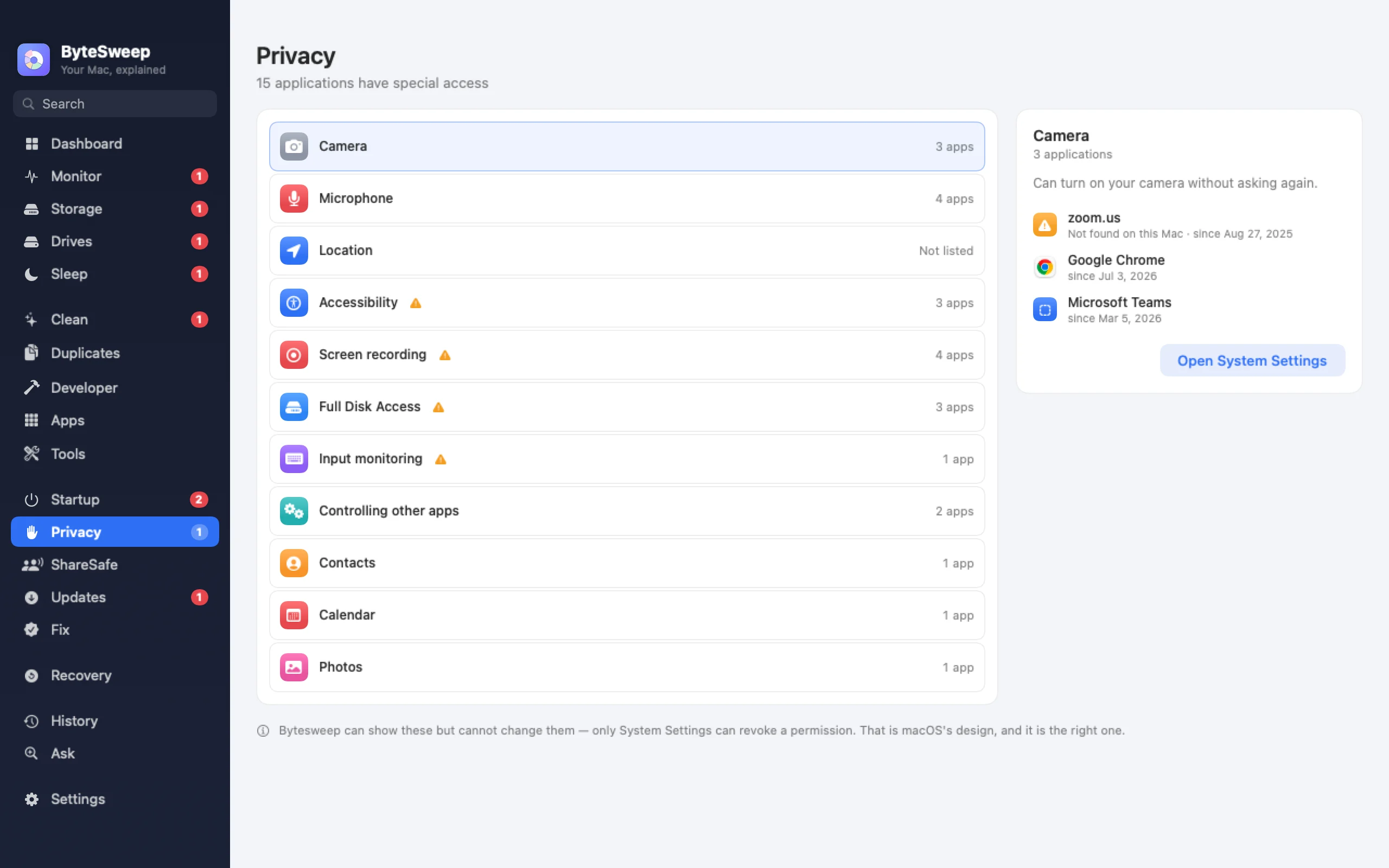
Every permission in one list
On a Mac: camera, microphone, screen recording, accessibility, Full Disk Access, input monitoring, automation, contacts, calendars, photos, location and reminders, each with the apps you have allowed. On Windows: camera, microphone and location, with when each app last used them, plus the advertising ID and diagnostic data level.
ShareSafe, before you share your screen (Mac)
One check before a call or a presentation: file sharing, screen sharing and remote login, AirDrop, files on the desktop with revealing names, notification banners, and which apps can share your screen. ShareSafe switches off only what it can switch back on afterwards, and tells you plainly what it cannot check.
A privacy cleaner (Windows)
Clear recent files, jump lists, the clipboard, the DNS cache and the recent lists of Office and other apps, and browser history, cookies and sessions for Chrome, Edge, Brave, Firefox and others. Saved passwords and bookmarks are never touched.
On Mac and on Windows
| Mac | Windows | |
|---|---|---|
| App permissions | 12 kinds | Camera, microphone, location |
| ShareSafe before screen sharing | Yes | No |
| Privacy cleaner | No | Yes |
| Browser history and cookies | No | Yes, never passwords or bookmarks |
Questions
Can Bytesweep change permissions for me?
On a Mac, permissions can only be changed in System Settings; Bytesweep shows them and takes you there. Windows works the same way for most of them.
Will ShareSafe leave things switched off?
It switches off only what it can switch back on, and puts everything back when you are done.
Does the Windows privacy cleaner delete passwords?
No. Passwords and bookmarks are never touched. Some items, like the DNS cache, cannot be undone, and are marked.