 Bytesweep
 Storage analyzer
Where did my space go?
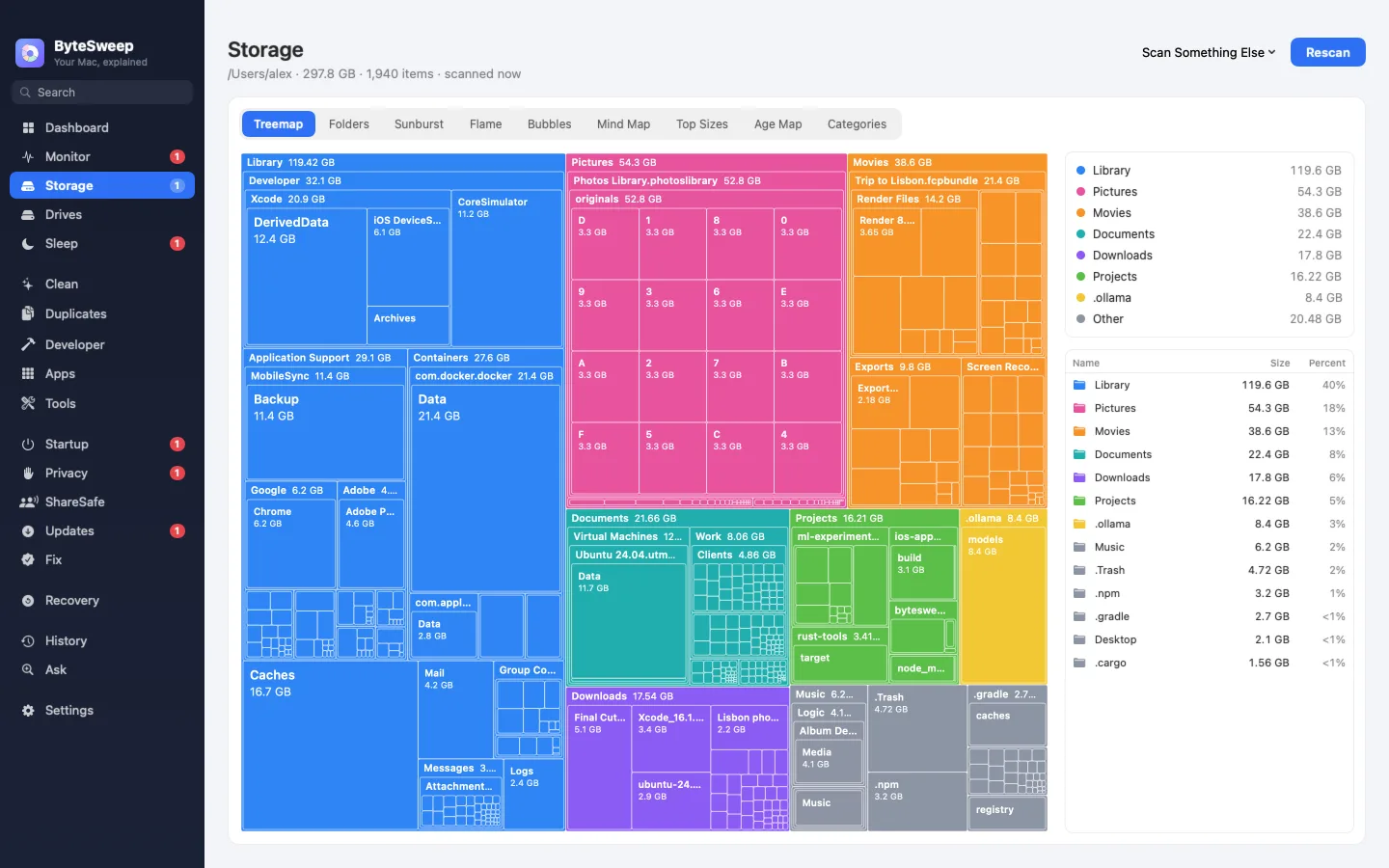
See where your disk space went and clear it safely, with a 7-day undo. Find out what woke your Mac last night, what starts at login and what is out of date. Everything stays on your Mac.
Free to download and scan. Cleaning needs a licence: $5 once per computer, Mac or Windows. No subscription.
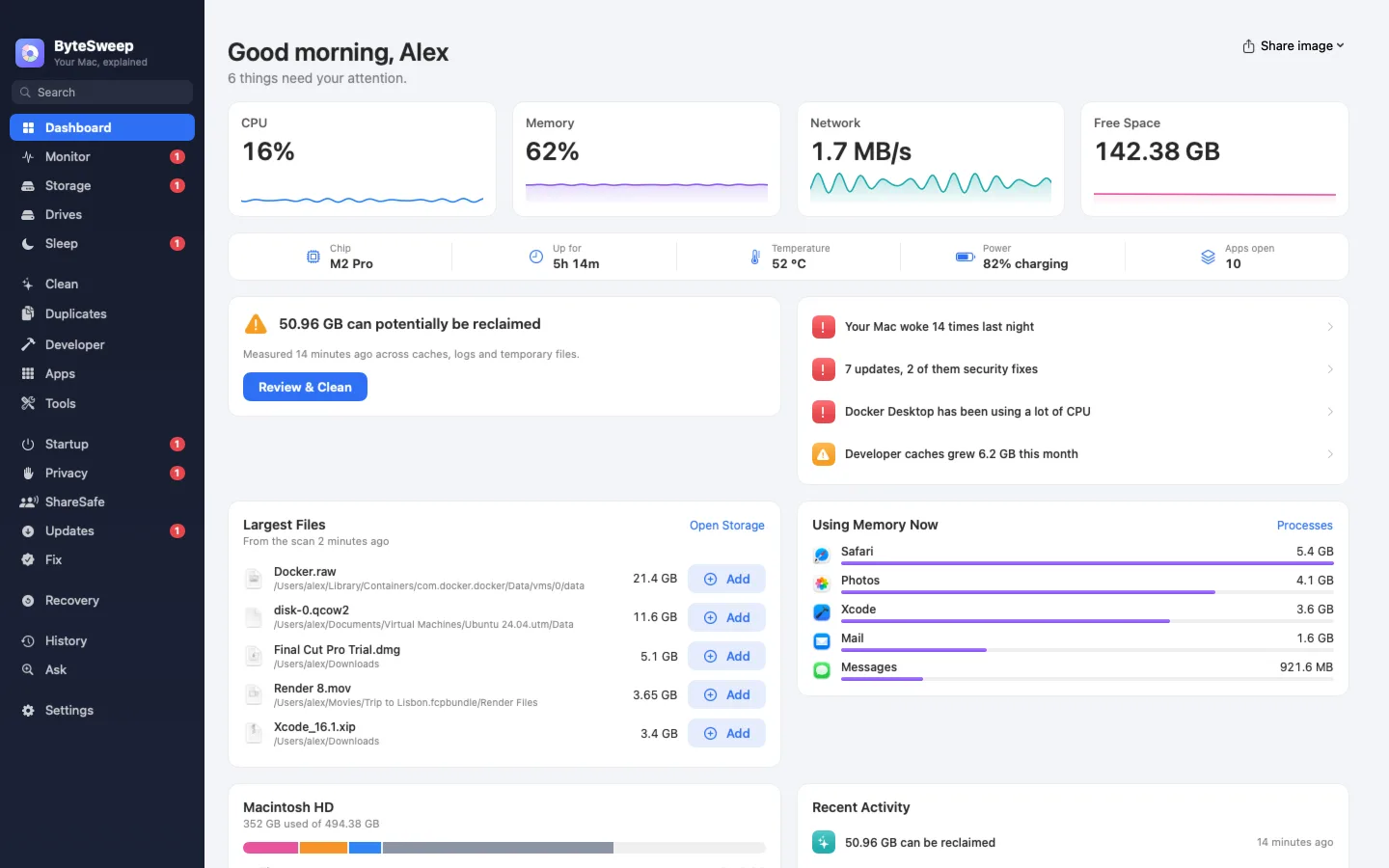

Each part of Bytesweep answers one plain question and shows you the evidence before you change anything.
Where did my space go?
What can I get back?
What do I have twice?
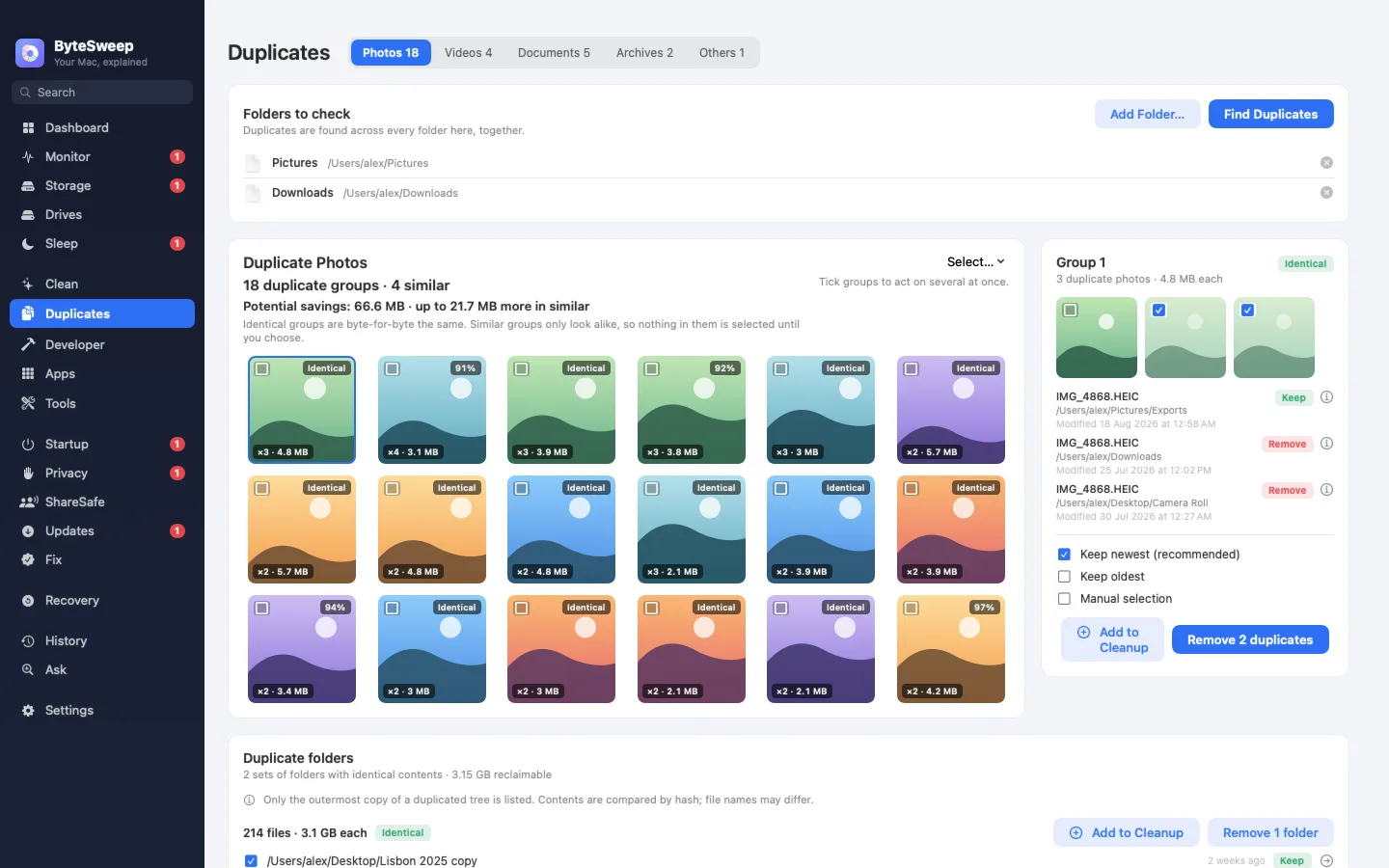
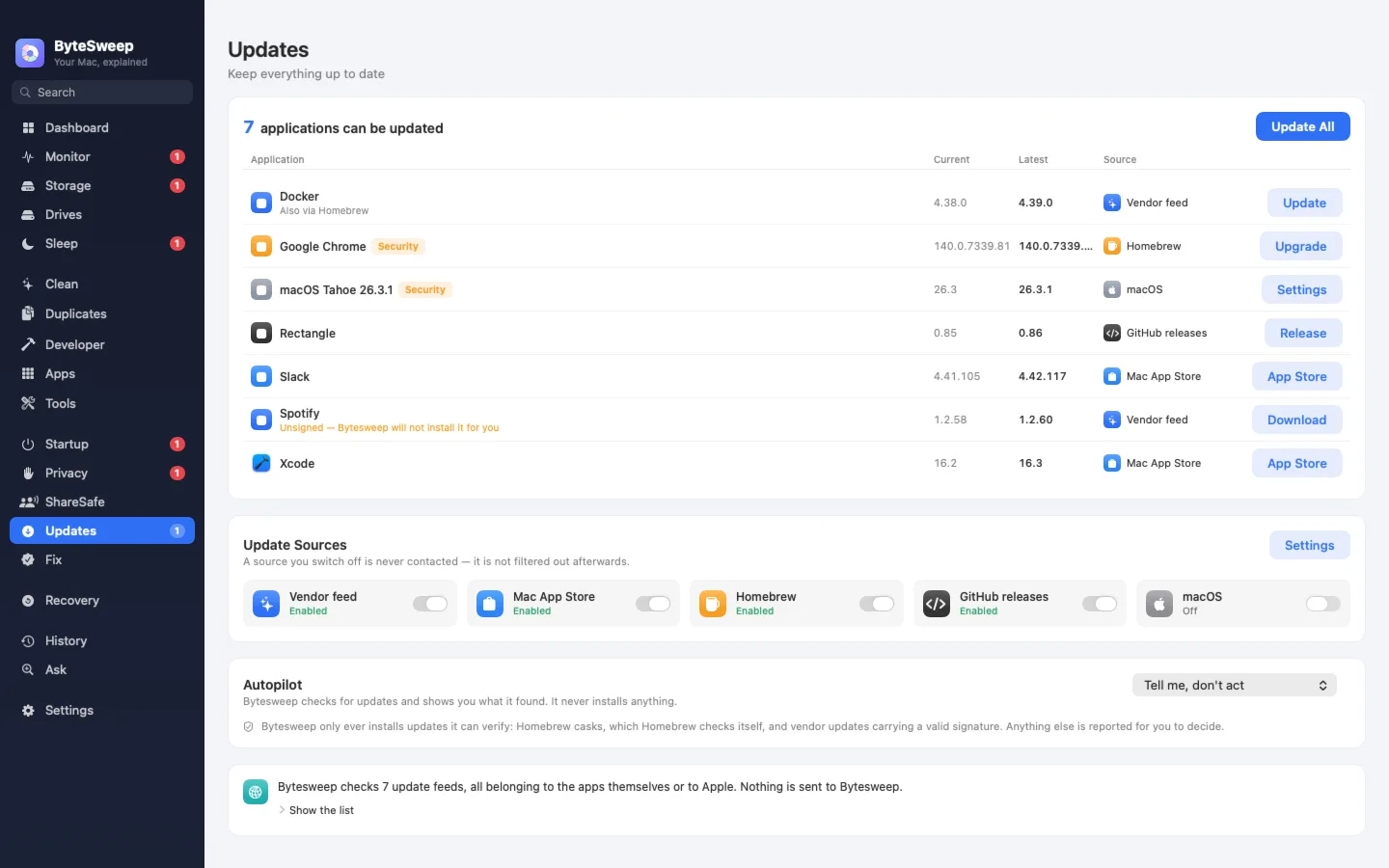
What's out of date?
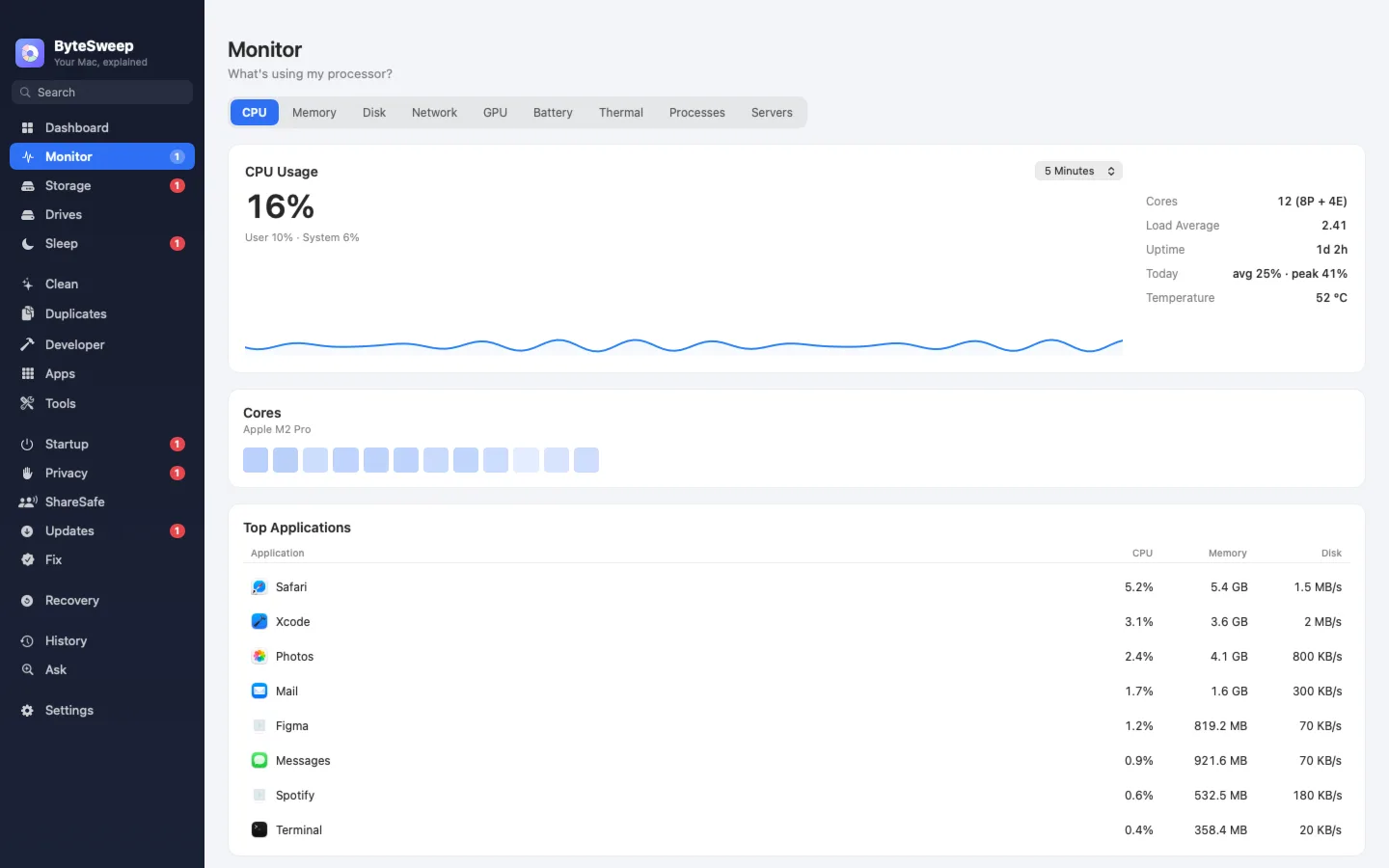
How is my Mac right now?
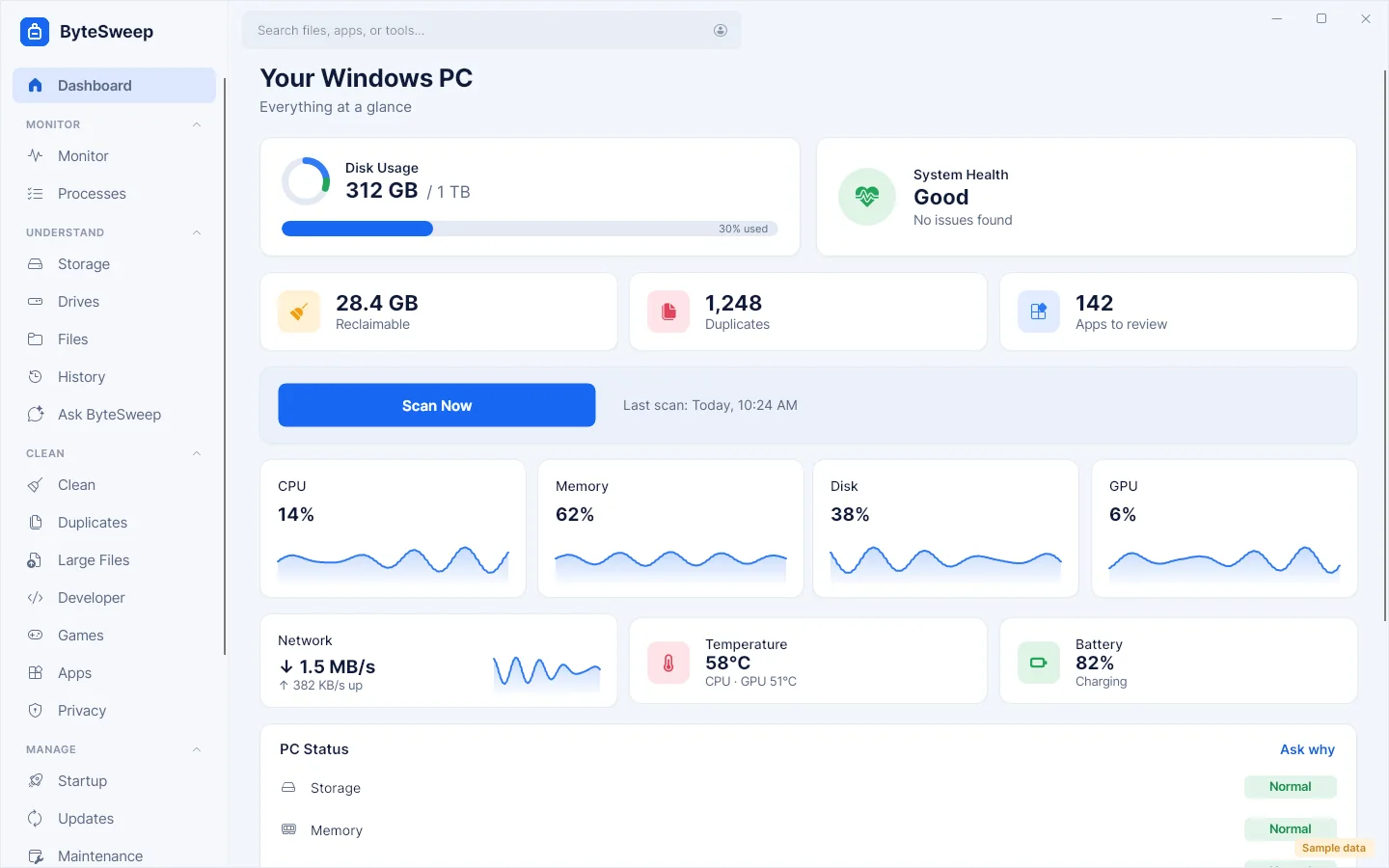
What is my Mac or PC doing?
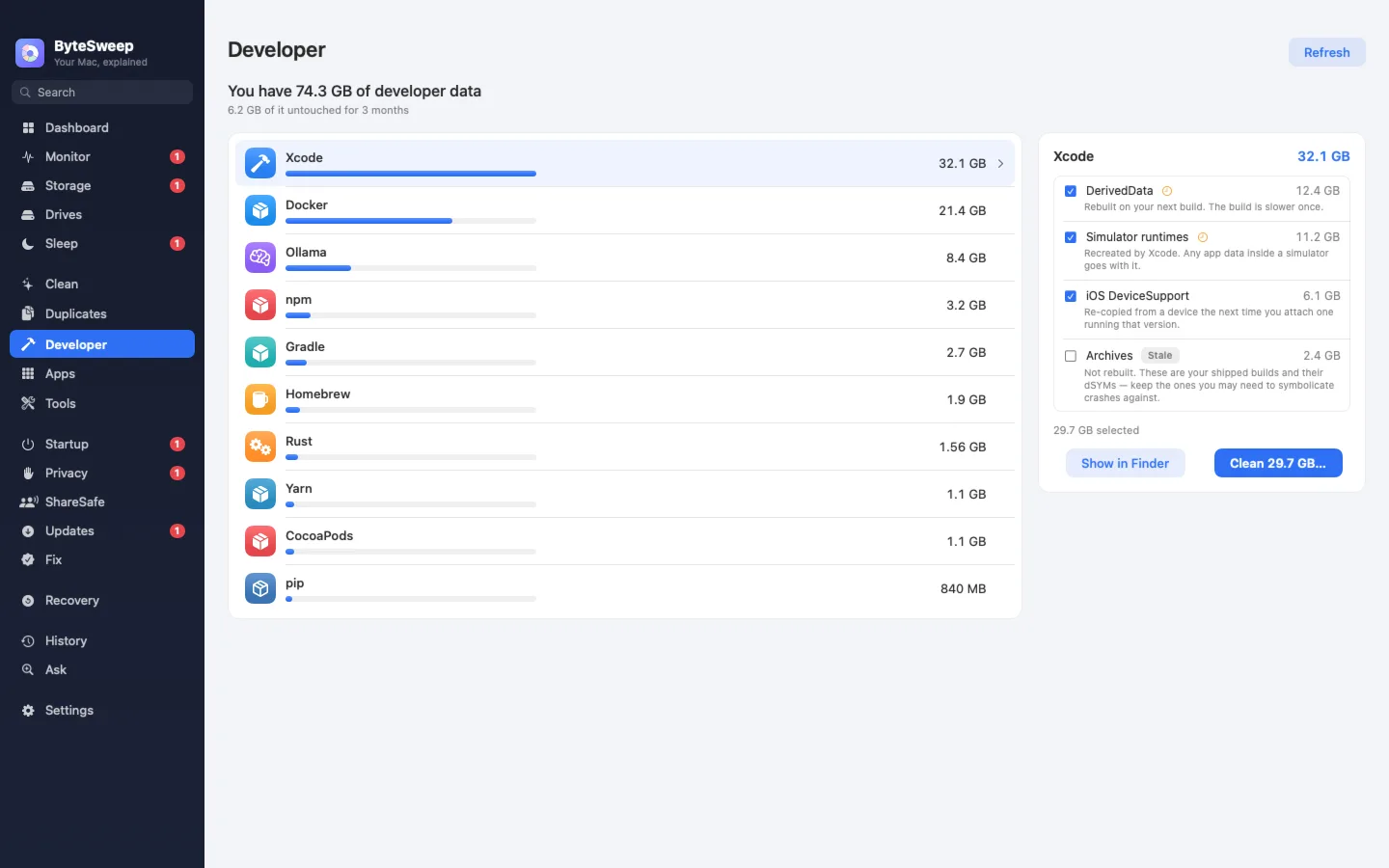
What are my tools hoarding?
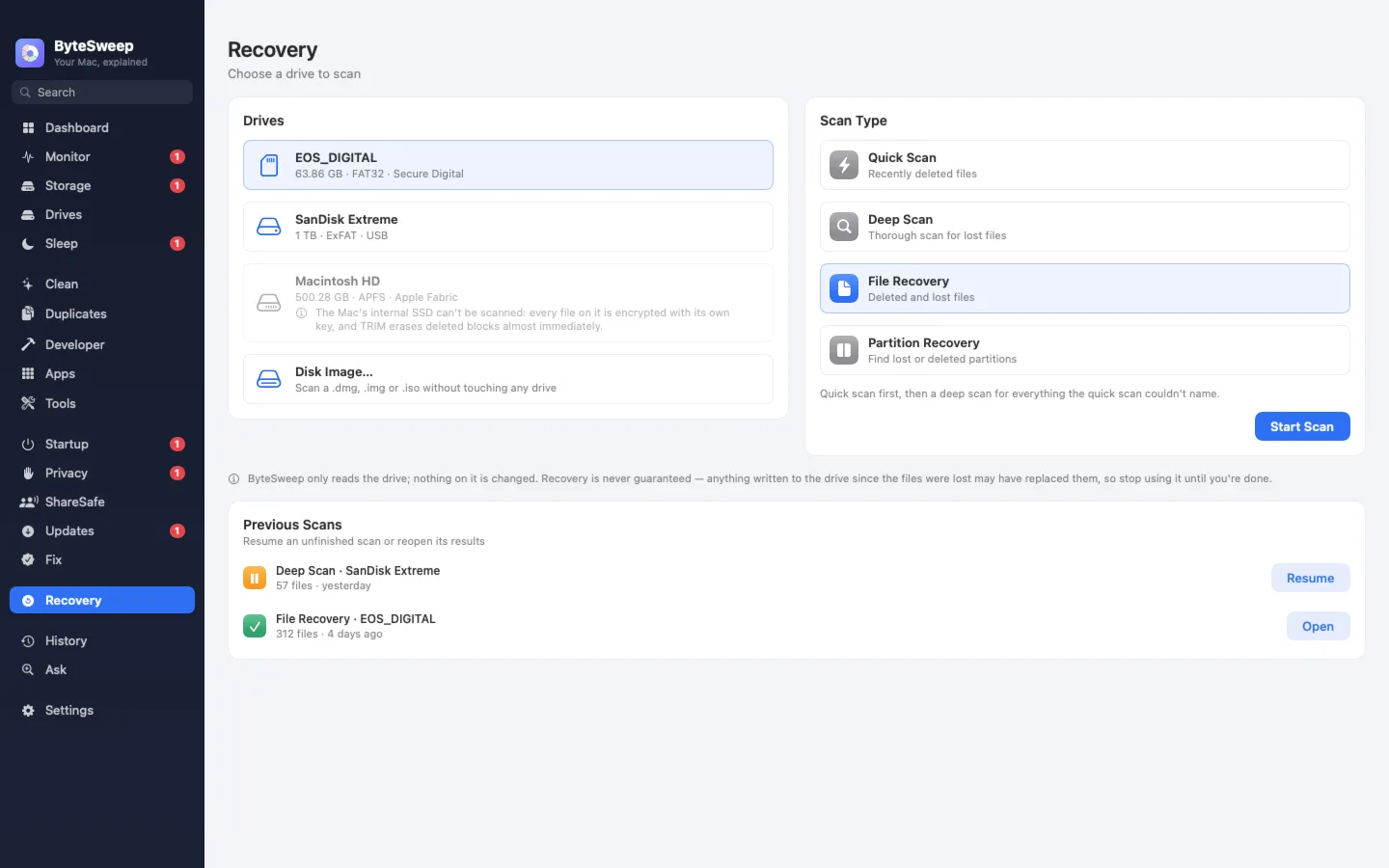
What can I recover?
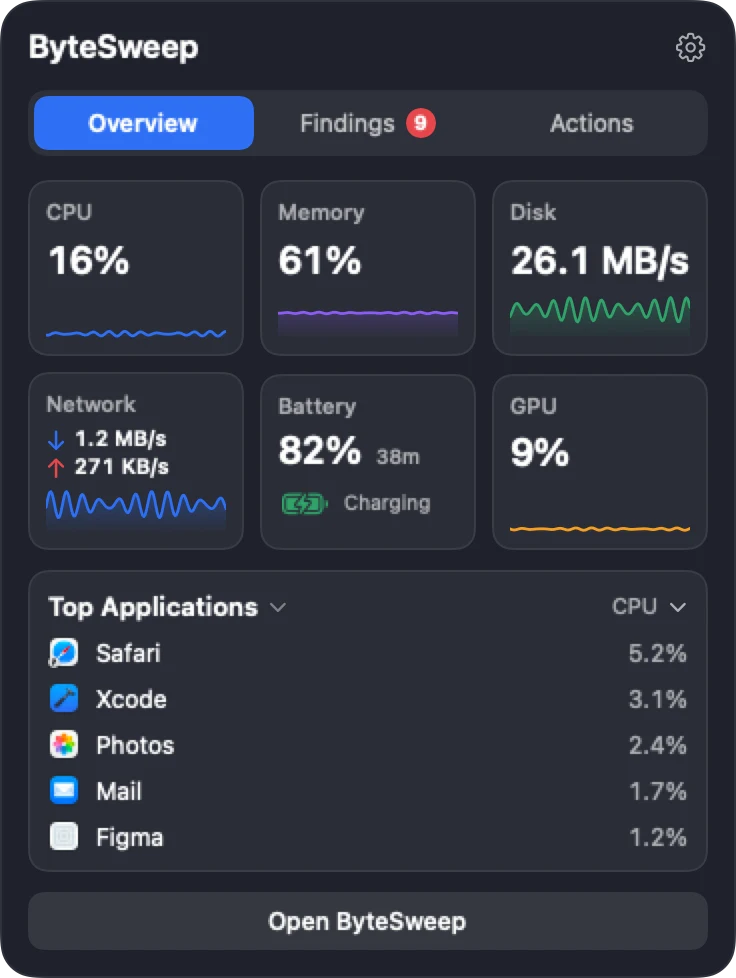
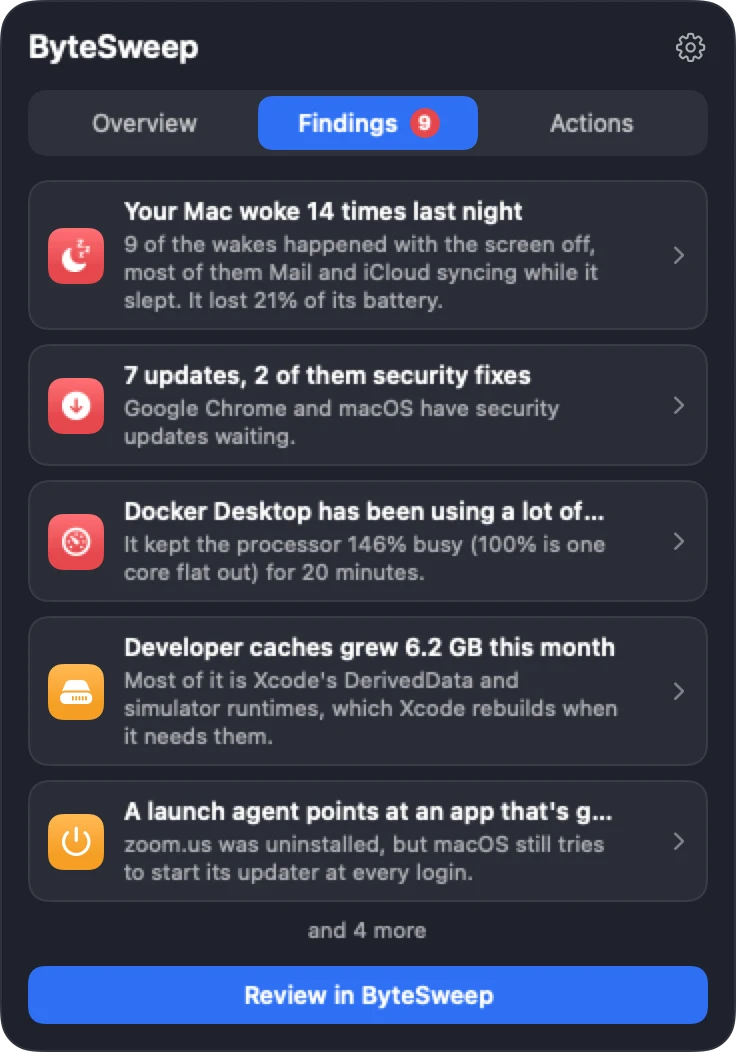
Hover the notch for live CPU, memory, disk, network, battery and GPU, the apps working hardest, and what needs your attention. One click takes you to the right page.
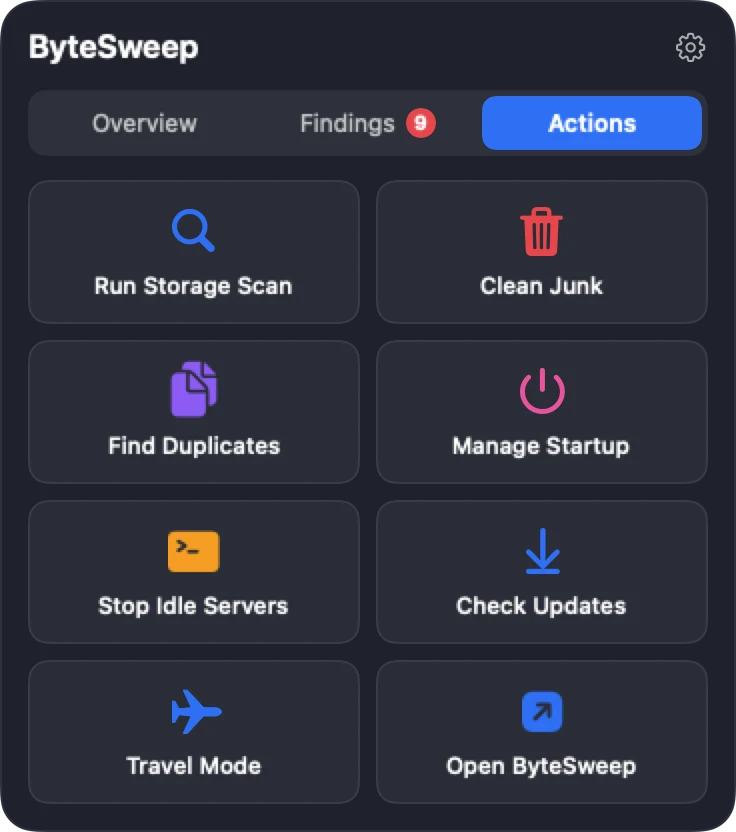
Off until you turn it on in Settings. On a Mac without a notch, Bytesweep uses a thin strip at the top centre of the screen instead.
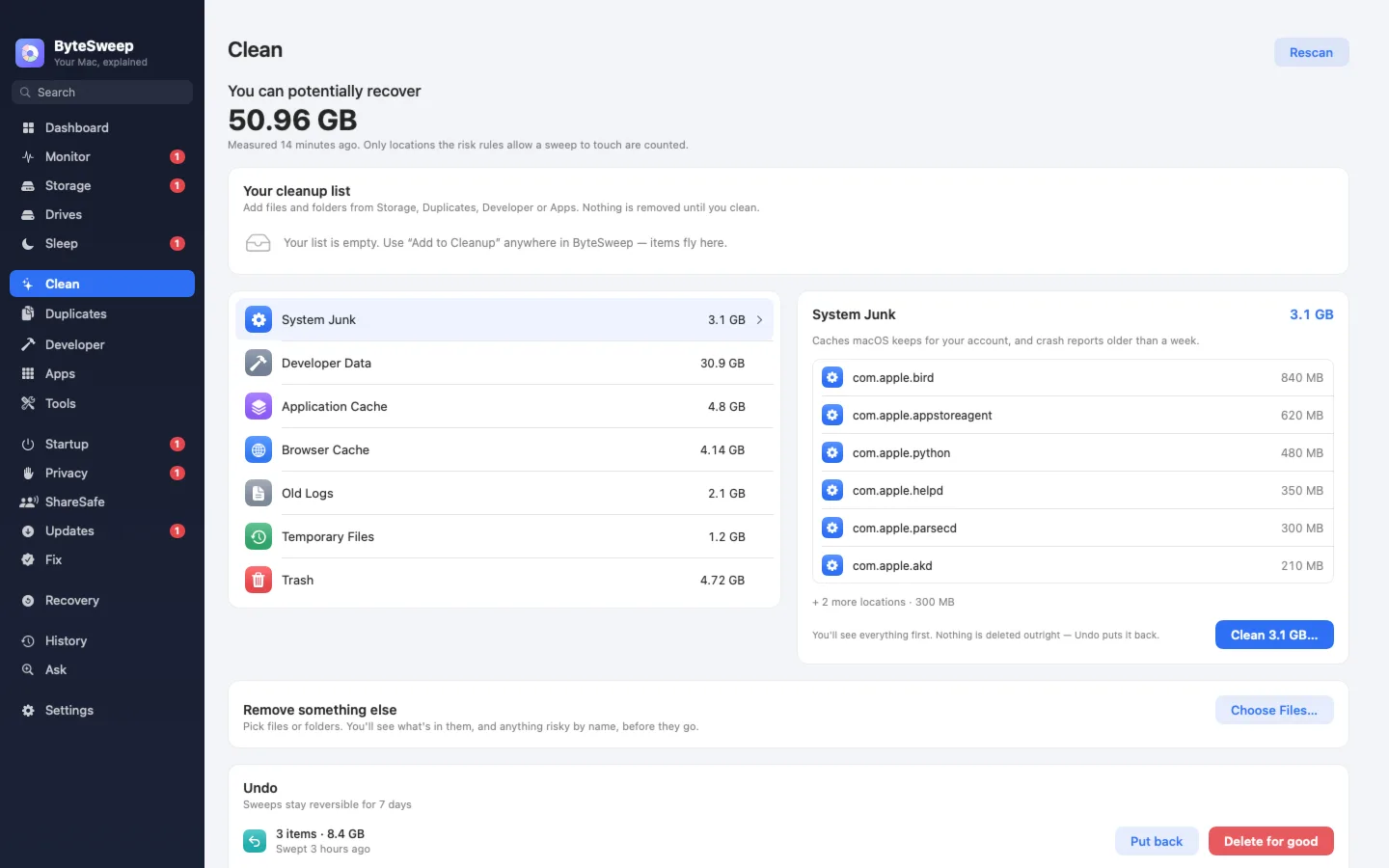
The real app, step by step: see your Mac at a glance, scan the whole disk, pick what to clear, clean it, and undo it if you change your mind.
A cleaner's job is to free space. Its duty is to not destroy anything you cannot get back. Every item Bytesweep offers passes through one set of rules first.
Caches, logs, temp files and build outputs that the system or the app recreates on its own. Pre-selected.
Things that are probably unwanted but might not be: old installers, large downloads, update leftovers. Shown, never pre-selected.
SSH keys, unpushed git work, virtual machine disks, photo libraries, open databases, and anything inside the system folders. Named, and blocked.
No. There is no Bytesweep server for it to send anything to. File names, sizes and history stay in a database on your own disk.
You get a licence key by email and paste it in. Activating it contacts Dodo Payments, our payment provider; nothing about your files is sent.
No analytics, no crash upload, no usage counts. The app does not know how you use it and neither do we.
Apart from licence activation, the Updates module is the only part that goes online. It contacts your apps' own update feeds, lists every host before it does, and each source can be switched off.
Ask Bytesweep searches your own history on your own machine. No question is sent to an AI service.
One licence works on a Mac or a Windows PC. The iPhone app is a separate App Store app.
Native Swift and SwiftUI for Apple silicon and Intel Macs, macOS 14 Sonoma or later. Adds Sleep and dark-wake history, Dev Servers, ShareSafe, the notch panel and Time Machine snapshot cleanup.
Native C# and .NET 8 for Windows 10 and 11. Adds the privacy cleaner, games, component-store cleanup, Recycle Bin and NTFS recovery, and Scan with Bytesweep in Explorer.
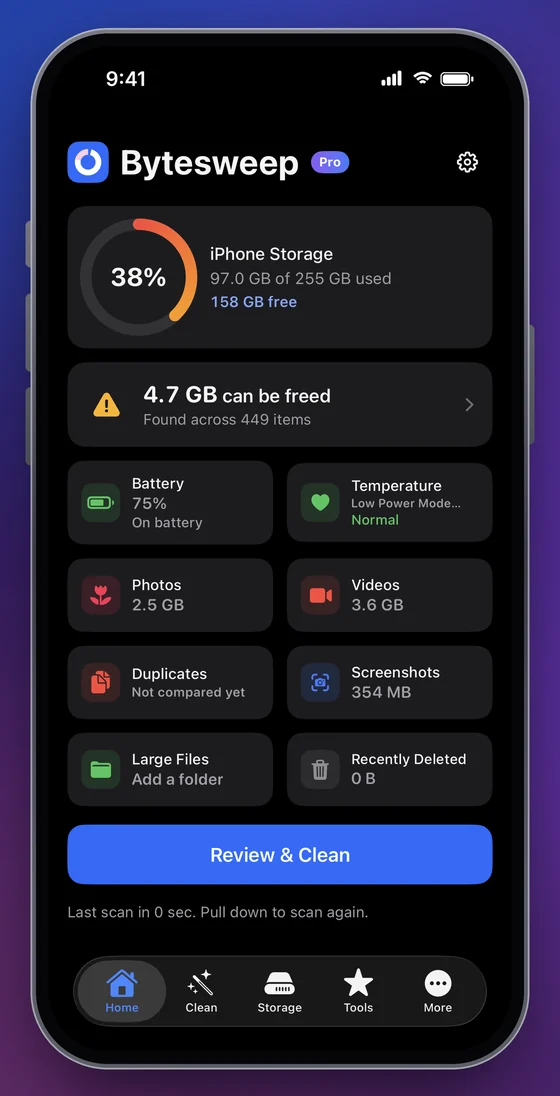
Finds similar and duplicate photos, large videos, screenshots and duplicate contacts on an iPhone, and shows what each delete really frees before you confirm it.
Bytesweep is a desktop app for macOS and Windows that finds what is filling your disk, removes it safely, and explains what your computer has been doing. It combines a disk space analyzer, a junk and cache cleaner, a duplicate finder, an app uninstaller, a startup manager, an app updater, a system monitor and a file recovery tool in one window. Every cleanup can be undone for seven days. It works offline and sends nothing about your files anywhere.
It is built for people who have run out of space and want to know why before they delete anything. Each module answers one plain question, such as Where did my space go?
, What runs automatically?
or What's out of date?
, and shows its evidence.
| Platforms | macOS 14 Sonoma or later (Apple silicon and Intel) · Windows 10 and 11 (64-bit), coming soon |
|---|---|
| Price | $5 once, no subscription |
| Licence | One computer per key, Mac or Windows; move it any time |
| Free trial | Scanning and every analysis, for 3 days |
| Account | None. A licence key by email |
| Undo | Every cleanup, for 7 days |
| Network | Licence activation, and the update sources you switch on |
Try it free for 3 days, so you see exactly what Bytesweep finds on your own disk before you pay. No subscription, no renewal.
One computer per licence, Mac or Windows; move it whenever you change machines
For iPhone, on the App Store
Bytesweep finds what is taking space on a Mac or Windows PC and removes it safely, with a 7-day undo. It also monitors CPU, memory and battery, manages startup items, updates your apps, shows which apps can use your camera and microphone, finds duplicates, uninstalls apps with their leftovers and recovers deleted files from USB sticks and SD cards.
You can try it free for 3 days: every scan, every analysis and every verdict. Cleaning, deleting and uninstalling need a licence from the start, and after the trial every page does: a one-time payment of $5 per computer. The iPhone app, Bytesweep Phone Cleaner, is a separate app: free to download and scan, with a one-time purchase to clean.
Yes. Every item passes through one set of safety rules that rate it safe, review first or keep. Only safe items are pre-selected, system folders and your personal folders are never touched by a rule, and every cleanup goes to a restore point you can undo for seven days.
Coming soon. Bytesweep for Windows is a native app for Windows 10 and 11 (64-bit), written in C# and .NET 8. It installs per user without administrator rights and asks for elevation only for the few tools that need it.
Bytesweep 2.0 is a universal app: it runs on Macs with Apple silicon and on Intel Macs, with macOS 14 Sonoma or later. On macOS 13 or older, use Bytesweep 1.x.
Yes. Bytesweep Phone Cleaner finds duplicate and similar photos, large videos, screenshots and duplicate contacts on an iPhone, entirely on the device. It is free to download and scan; cleaning is a one-time in-app purchase, separate from the desktop licence.
Yes, Bytesweep 1.x runs on Linux as an AppImage or .deb package, with the storage analyzer, cleanup for apt, dnf, pacman, snap, Flatpak and Docker, and the same 7-day undo.
Yes. Choose how many in the pricing section: each licence costs the same $5, activates one computer, and comes with its own key. All the keys are shown right after payment and emailed to you.
No. It is one payment of $5 per computer, Mac or Windows. There is no renewal.
No account. Everything except licence activation and the Updates module works offline. You receive a licence key by email and paste it into the app.
No. There is no telemetry and no Bytesweep server. File names, sizes and history stay in a database on your own disk. Licence activation contacts Dodo Payments, our payment provider. The Updates module contacts only the update sources you switch on, and names each host before it does.
Often, from USB sticks, SD cards, external drives and disk images, including formatted drives and lost partitions. On Windows it also restores from the Recycle Bin and NTFS drives. It cannot recover fragmented or overwritten files, or files deleted from a Mac's internal SSD, and it tells you which case you are in.
No. It reports the status of the protections built into macOS and Windows, such as Microsoft Defender and the firewall, and links to where you change them. It does not scan for malware.
Bytesweep is a one-time payment rather than a subscription, runs on both Mac and Windows with one licence, keeps a 7-day undo for every cleanup, and names what you would lose before you delete it. It also covers things those apps do not, such as sleep and wake history on Mac and developer caches. See the full comparison.
During the 3-day trial, everything that only looks: scan any disk, browse every analysis and verdict, monitor your computer, review startup items, check for updates and scan for deleted files. Cleaning, deleting, uninstalling, shredding and recovering files need a licence. After the trial, Bytesweep needs a licence to open, apart from its settings. Undo always works, with or without one.
Yes, within 14 days, no questions asked. Reply to your receipt email or write to support.
Scan your disk and see every verdict for free, with no card and no account. Activate a licence when you want to clean.
macOS 14 Sonoma or later, Apple silicon and Intel. macOS 13 or older? Get Bytesweep 1.x


