 Bytesweep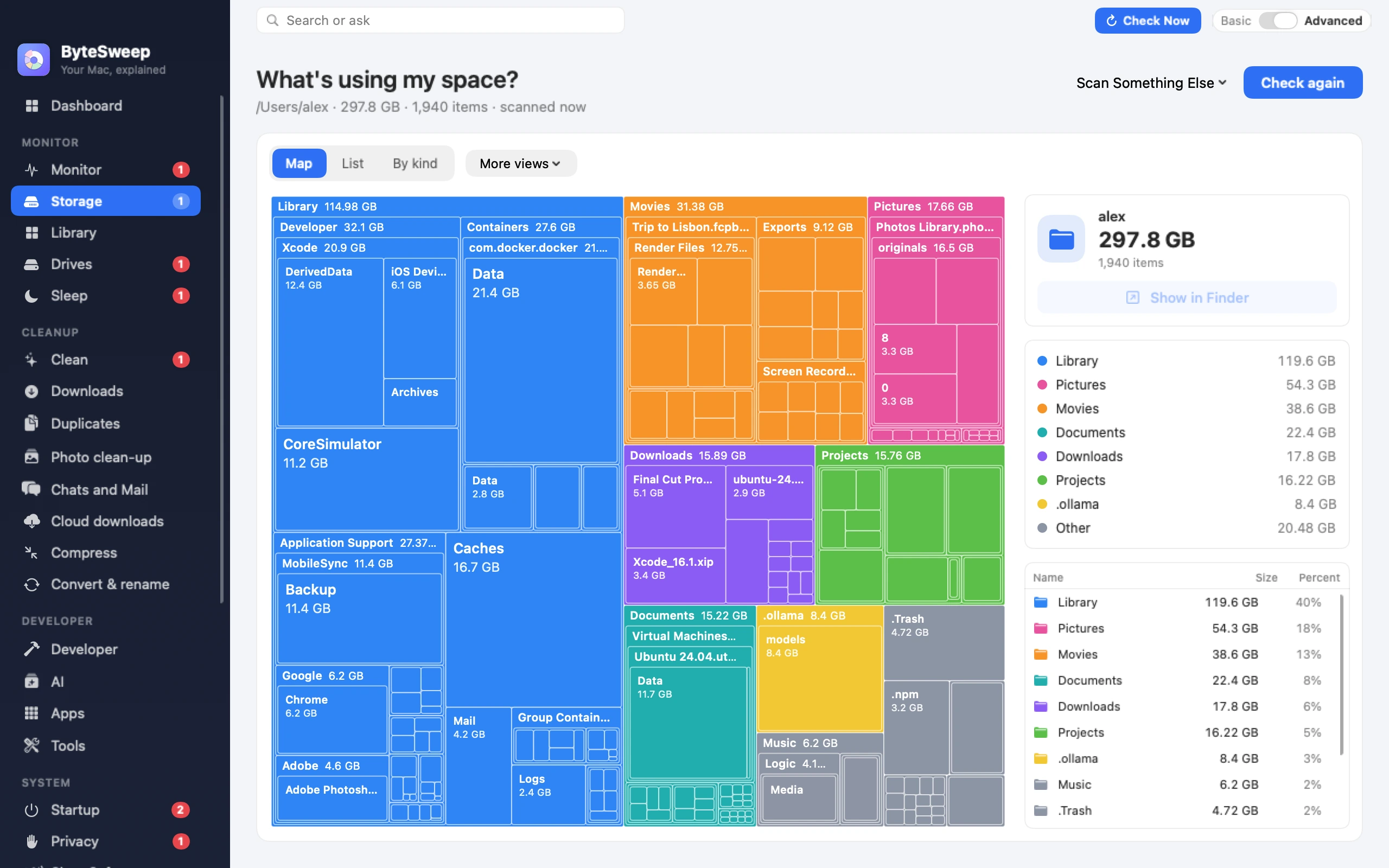
What "System Data" and "Other" actually contain
On current macOS, System Data holds caches, logs, swap files, Time Machine local snapshots, app support data and developer files such as Xcode DerivedData, device support files, iOS simulators, Docker.raw and the Homebrew and pip caches. iPhone backups and Mail have rows of their own in Storage settings, so they are not part of it. Bytesweep names each item, tells you how large it is, and lets you thin local snapshots with a single click.
One scan, nine views
Treemap, Folders, Sunburst, Flame, Bubbles, Mind Map, Top Sizes, Age Map and Categories. A treemap makes big files obvious. The Age Map exposes the ten-year-old downloads you forgot. Every view drills down to the file and opens it in Finder.
Cleaning that you can undo
Safe Sweep collects only provably safe items: caches, logs, build outputs, trash, installers older than 30 days. Everything moves to a restore point on the same disk, so Undo puts it back in one click for seven days.
Bytesweep vs CleanMyMac, DaisyDisk and the rest
| Bytesweep | CleanMyMac | DaisyDisk | GrandPerspective | Finder Storage | |
|---|---|---|---|---|---|
| Price | $29.99 once | from $3.33/month | $9.99 once | Free | Built in |
| Payment model | One-time | Subscription | One-time | Open source | — |
| App updater | Yes | Yes | No | No | No |
| Malware scanning | No (local adware check) | Yes | No | No | No |
| Visual views | 9 | 1 (Space Lens) | 1 sunburst | 1 treemap | 0 |
| Cleans junk automatically | Yes | Yes | No | No | Partly |
| Time Machine snapshot thinning | Yes | Yes | No | No | Partly |
| App leftovers & uninstaller | Yes | Yes | No | No | No |
| Duplicate + similar photo finder | Yes | Yes | No | No | No |
| One-click undo | Yes | No | No | No | No |
| Linux too | Yes | No | No | No | No |
Questions
Is it safe to delete System Data on a Mac?
Not as a whole, no. Parts of it are caches and snapshots that regenerate, and parts are files your apps need. Bytesweep separates the two, only sweeps the safe categories, and keeps a restore point so you can undo.
Does it work on Apple silicon?
Yes. Bytesweep is a universal app for Apple silicon and Intel Macs running macOS 14 Sonoma or later. On macOS 13 or older, use Bytesweep 1.x.
Will it delete my iCloud files?
No. Bytesweep flags files inside iCloud Drive, OneDrive, Dropbox and Google Drive, shows which are online-only versus really on disk, and can evict a local copy back to the cloud instead of deleting it.