 Bytesweep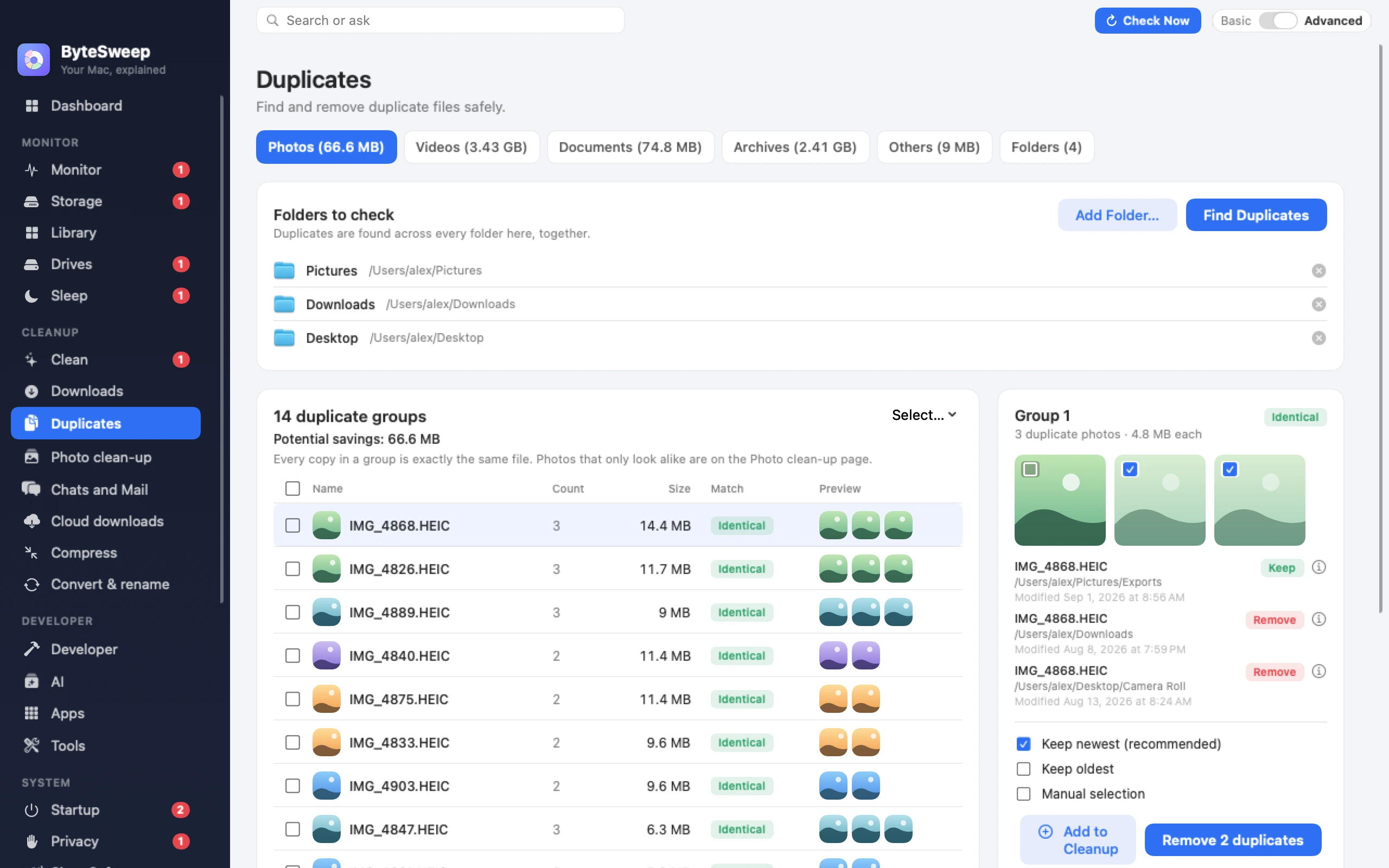
Exact duplicates, compared in full
Bytesweep groups files by size, then hashes in stages: the first 4 KB, then 64 KB, then the whole file. Two files are listed as duplicates only when their whole contents match, and hashing in stages keeps that quick on a full disk.
Similar photos, by what they look like
A perceptual hash compares the image itself, so a resized export, a re-save at different quality and a burst of nearly identical shots all land in one group. You see thumbnails side by side and keep the largest copy by default.
Sweep without regret
Auto-select keeps the oldest, the newest or the shortest path across every group. Everything you remove goes to a restore point first, so a mistake costs one click to undo.
Bytesweep vs dupeGuru, Czkawka and CCleaner
| Bytesweep | dupeGuru | Czkawka | CCleaner | Finder / Explorer | |
|---|---|---|---|---|---|
| Price | $29.99 once | Free | Free | Free tier, paid yearly | Built in |
| Byte-for-byte duplicates | Yes | Yes | Yes | Yes | No |
| Similar (not identical) photos | Yes | Yes | Yes | No | No |
| Thumbnails side by side | Yes | Partly | Yes | No | No |
| Also shows where space went | Yes, 9 views on Mac | No | No | No | No |
| One-click undo | Yes | No | No | No | No |
| Runs entirely offline | Yes | Yes | Yes | Varies | Yes |
Questions
Will it delete the wrong copy?
It never deletes on its own. You pick, or use an auto-select rule, and the largest copy in each similar group is kept by default. Everything is restorable for seven days.
How does it compare photos that are not identical?
It builds a 64-bit perceptual fingerprint from a small greyscale version of each image and groups images whose fingerprints are close. That catches crops, re-saves and burst shots.
Does anything leave my computer?
No. Hashing and comparison happen entirely on your machine.