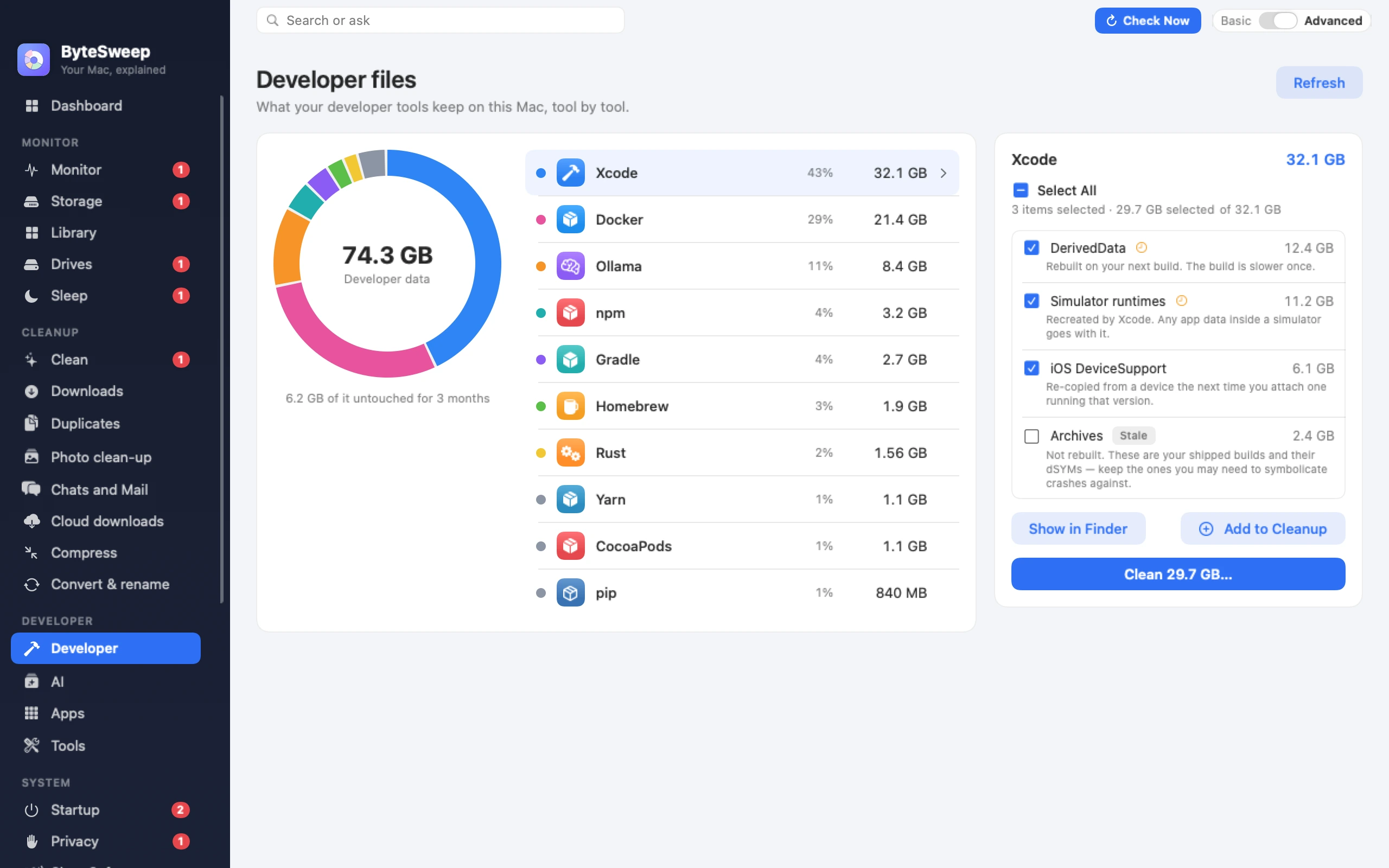
Twenty to sixty gigabytes on a working Mac, spread across six folders, none of which Xcode ever cleans up on its own. Here is each one, what it is for, and whether you can delete it.
Free to download and scan. Cleaning needs a licence: one payment per computer.
Measure it first
One command tells you how the total splits across Xcode's folders, so you know which one to go after:
du -sh ~/Library/Developer/Xcode/* ~/Library/Developer/CoreSimulator 2>/dev/null | sort -h
The six folders
DerivedData — usually the biggest · safe to delete
Build intermediates, indexes and module caches, one folder per project, kept forever including for projects you deleted long ago.
~/Library/Developer/Xcode/DerivedData
Deleting it costs one slow rebuild and nothing else. It is also the standard fix for Xcode behaving strangely, which is why every iOS developer knows the path by heart.
iOS DeviceSupport — large · safe to delete
Symbol caches copied from every physical device you have ever connected, one folder per iOS build. Several gigabytes each, and they accumulate for phones you no longer own.
~/Library/Developer/Xcode/iOS DeviceSupport
Xcode re-copies these the next time you plug in a device running that iOS version — a slow first connection, no other cost.
CoreSimulator devices — large · mostly safe
Each simulated device has its own filesystem, and they are never reclaimed. Use Xcode's own command rather than deleting folders, so its database stays consistent:
xcrun simctl delete unavailable
To go further, xcrun simctl delete all removes every simulator device. Simulator runtimes themselves are managed in Xcode → Settings → Components.
Archives — small but irreplaceable · keep
Every build you have ever shipped, with its dSYM debug symbols.
~/Library/Developer/Xcode/Archives
This is the one to leave alone. Without the dSYM for a released build you cannot symbolicate crash reports from users running it — the stack traces stay as hex addresses forever. If you must reclaim here, keep the archives for every version still in the wild.
Swift Package Manager cache — safe to delete
Cloned dependency repositories, re-fetched on demand.
~/Library/Caches/org.swift.swiftpm
Old simulator runtimes and old Xcode versions — safe with care
A previous Xcode.app is 15 GB on its own, and its runtimes another few. Keep the version you still need for an older project; delete the rest through the Finder, then remove its associated runtimes in Settings → Components.
Two habits that keep it down
Delete DerivedData per project, not wholesale
Each subfolder is named after a project. Clearing the whole folder forces a rebuild of everything you are currently working on; clearing the ones belonging to projects you finished last year costs nothing at all.
Check DeviceSupport after every iOS release
It grows by one folder per iOS build across every device you connect, so it climbs quietly all year. Two minutes each September keeps it from becoming 30 GB.
Questions
Is it safe to delete DerivedData?
Yes. It is entirely derived from your source, which is what the name means. The only cost is that the next build of each affected project is a full one.
Will deleting DeviceSupport break debugging on my phone?
No. The symbols are fetched from the device again when you next plug in one on that iOS version. The first connection afterwards takes a few minutes longer.
Can I delete Xcode Archives?
You can, but think first. Archives hold the dSYM files for builds you shipped, and without them crash reports from those versions cannot be symbolicated. Keep anything still in users' hands; delete old betas freely.
Why is Xcode.app itself so large?
Around 15 GB, because it ships the toolchains, SDKs and simulator runtimes for every platform Apple supports. You can remove unused simulator runtimes in Xcode → Settings → Components, but the app bundle itself is what it is.
Does Xcode clean any of this up automatically?
No. None of these folders has a size limit or an expiry. That is the whole reason this page exists.
From the blog
Shorter pieces that go deeper on one part of this guide.
 Bytesweep