 Bytesweep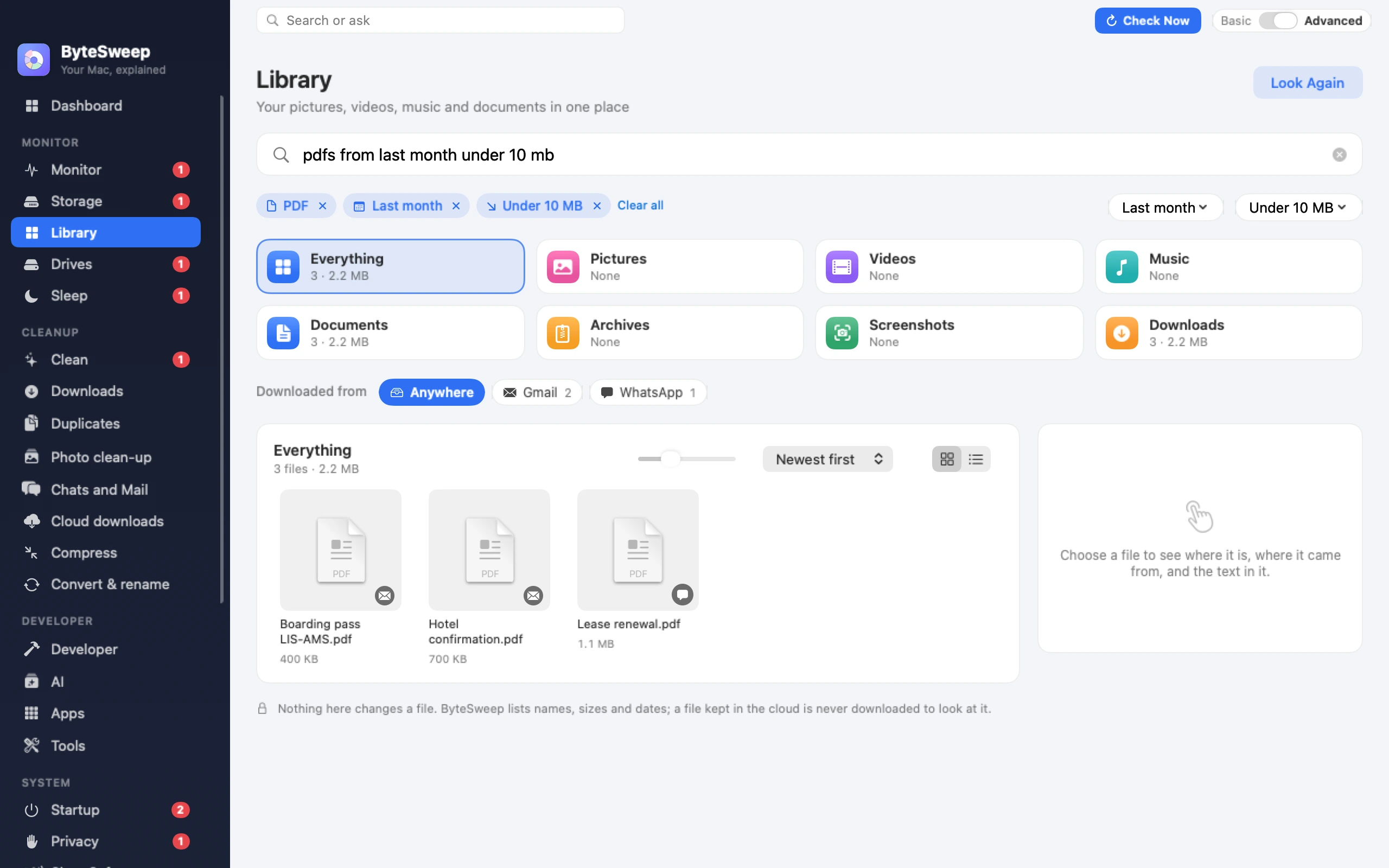
A sentence becomes filters you can see
The Library lists your pictures, videos, music, documents and downloads in one place. Type what you remember into the box: “pdfs from last week over 5 mb”, “videos over 1 gb”, “screenshots this month”, “word documents older than a year”. Bytesweep reads the sentence as filters and shows each one as a chip: a type, a time, a size, where it came from.
Nothing is guessed behind your back. If a chip is wrong, take it out and the list widens again. The words that are left over are looked for in file names.
- Types: pictures, videos, music, documents, archives, screenshots, and named kinds such as PDF, Word, Excel, spreadsheets, presentations, installers
- Times: today, this week, last month, this year, older than a year
- Sizes: over 1 GB, under 10 MB
- Places: downloads, and where a download came from
Downloads, by where they came from
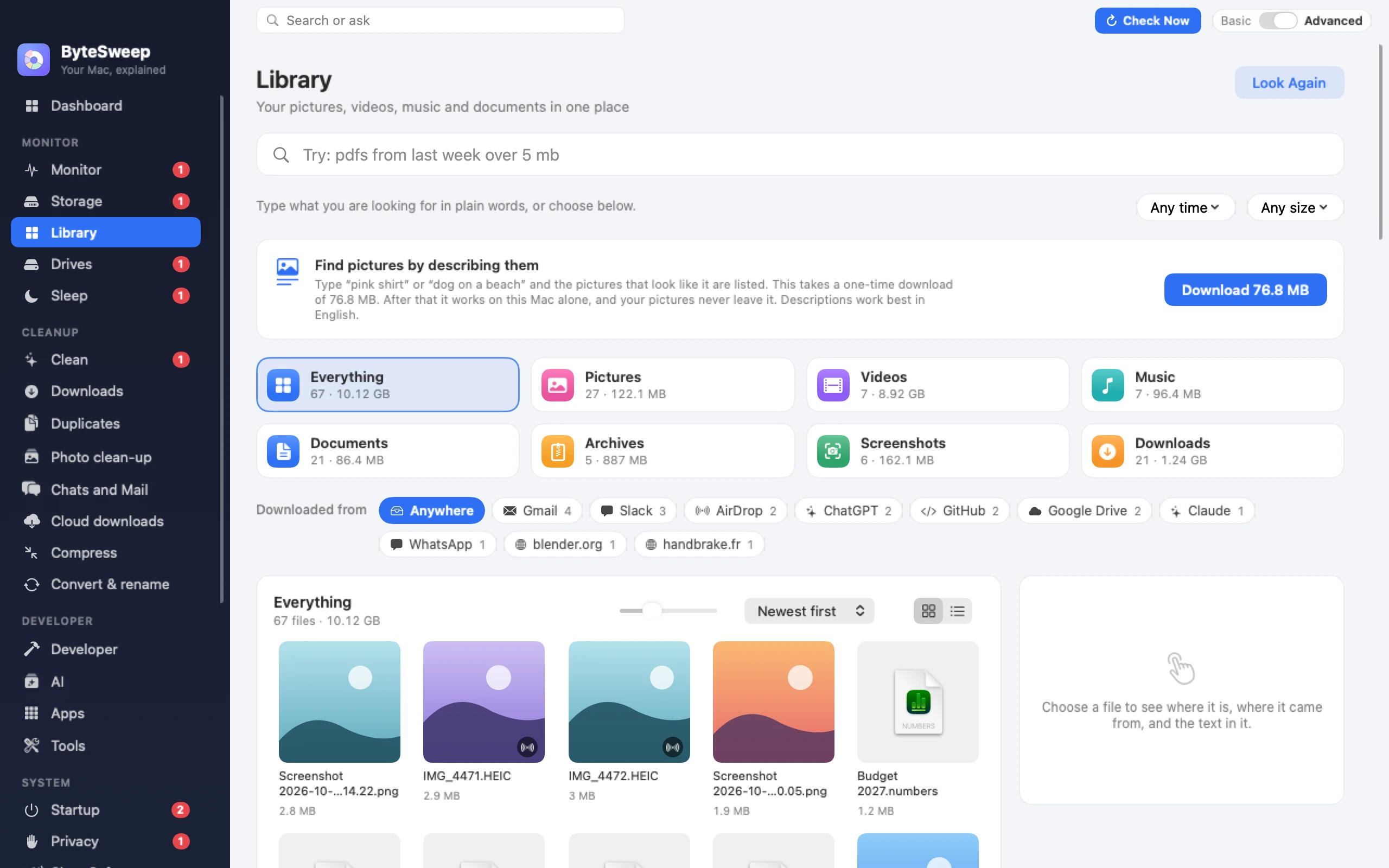
A browser leaves a note on every file it downloads, and Bytesweep reads it. Downloads are grouped by their source: Gmail, Slack, Google Drive, WhatsApp, ChatGPT, Claude, GitHub, AirDrop on a Mac, and the site’s own name for everything else. “downloads from slack” is one sentence, and choosing a source from the row does the same without typing.
Find a picture by what it shows (new in 3.1)
Bytesweep looks at each picture once, in the background, on your own computer. After that a picture can be found whatever it is called.
Colour works on Mac and Windows straight away: “pink” or “blue” lists the pictures that colour stands out in. On a Mac, Apple’s own picture recognition also names what is in a picture, so “beach”, “dog” or “receipt” finds the pictures that show one.
For a whole description, such as “pink shirt” or “dog on a beach”, the Library offers a one-time download of about 77 MB. It is a model that reads a picture and a sentence into numbers that can be compared (TinyCLIP, under the MIT licence). On Windows the same download is what finds things such as “dog” or “beach”. Once it is on your computer it needs no connection, and you can remove it from the same page.
Copy the words out of a picture
Choose a screenshot, a photo or a PDF and press Copy Text. The words are read on your computer and put on the clipboard: a booking reference, a Wi-Fi password, a tracking number. On a Mac the search also finds a file by the words inside it, including the text macOS has read in your screenshots.
It only looks
The Library changes nothing. It lists names, sizes and dates, and opens a file only when you ask for its text or its details. A file that is kept in iCloud or OneDrive and not on the disk is listed, never downloaded. To remove something, add it to your cleanup list and review it there, with the same 7-day undo as everything else in Bytesweep.
On Mac and on Windows
| Mac | Windows | |
|---|---|---|
| Sentence search | Yes, in English | Yes, in English |
| Type, time and size menus in every language | Yes | Yes |
| Downloads grouped by source | Yes | Yes |
| Search inside file contents | Yes, through macOS’s own index | No |
| Copy text from pictures and PDFs | Yes | Yes, in the languages installed in Windows |
| Pictures by colour | Built in | Built in |
| Pictures by what is in them | Built in | With the download |
| Pictures by a description | With the download | With the download |
| Quick Look and drag a file out | Yes | No |
Questions
Do my files or pictures leave my computer?
No. Listing the files, reading text and looking at pictures all happen on your computer, and nothing about them is sent anywhere. The only thing the Library ever fetches is the optional picture download itself, once, from bytesweep.app, and only when you press Download.
What exactly is the picture download?
A model called TinyCLIP, published under the MIT licence, of about 77 MB. It turns a picture and a sentence into numbers that can be compared, so the pictures nearest your description are listed first. Bytesweep checks the file when it arrives, and you can remove it again from the Library.
Why does “dog” work on my Mac without the download but not on my PC?
macOS comes with picture recognition that names what is in a picture, and Bytesweep uses it. Windows has nothing like it built in, so on a PC colours work straight away and everything else comes with the download.
Does it understand my language?
The sentence box and picture descriptions understand English. The menus for time and size, the type tiles and the source row do the same filtering in every language the app is translated into. Copy Text reads the languages your system can read.
Which folders does it look in?
Desktop, Documents, Downloads, Pictures, Movies or Videos, and Music. Folders that belong to a software project or a developer tool are skipped, and on a Mac the Photos library is left to Photos.
How good is the picture search?
It lists the pictures nearest your description, the nearest first, and stops where they stop being close. It always finds its nearest pictures, even when none is a real match, so a description of something you do not have still returns the closest thing you do have.